

Hug Family filter
A template tutorial that turns one family photo into a short clip of everyone pulling each other into a group hug.
Upload one photo that shows both people, and Kling 3.0 animates them into a short, natural hug: 5 seconds for 80 gems or 8 for 120.
Updated
 Illustration
s of the kind of result this makes. They are not app outputs.

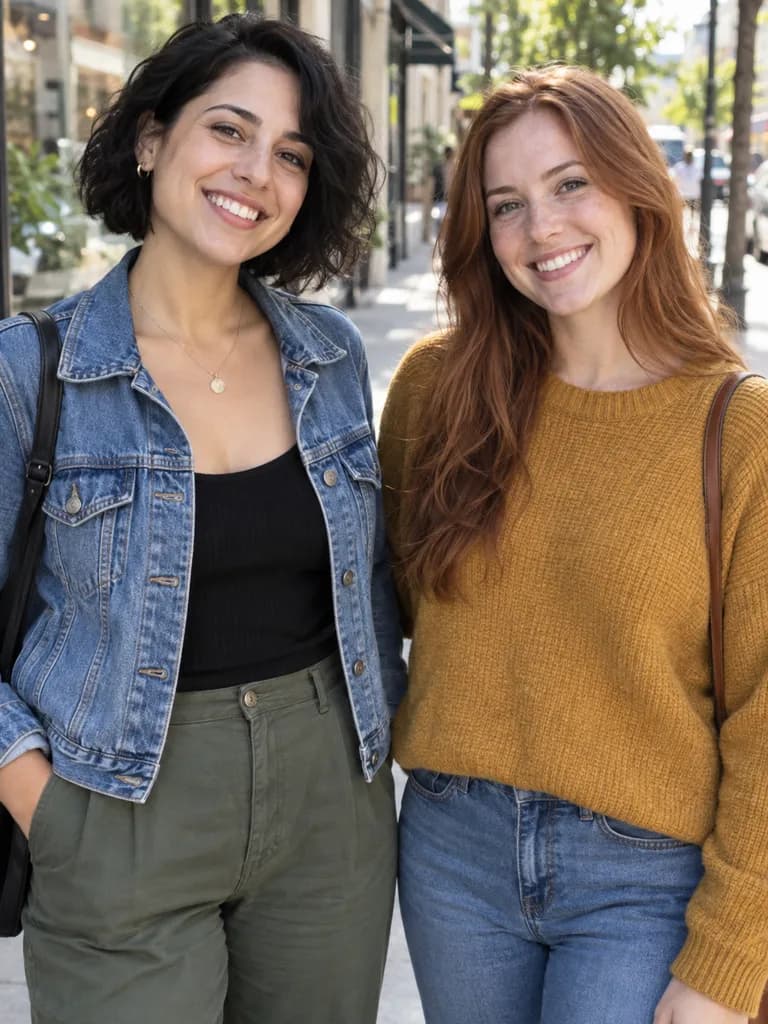 BeforeAfter
Example instruction: The two people in the photo turn to each other and share a warm, gentle hug, smiling, natural slow movement, the camera holds still. Keep their faces, clothes and the background exactly as in the photo.

 BeforeAfter
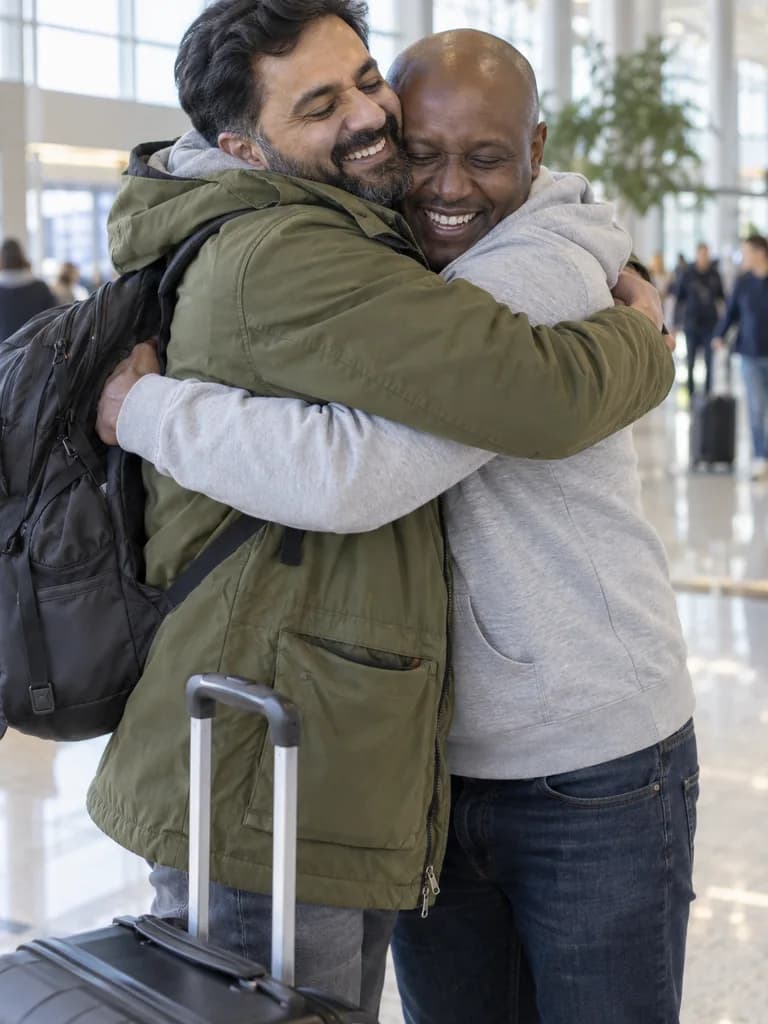 Illustration
Example instruction: …walk the last step toward each other and share a long, happy reunion hug, natural slow movement, the camera holds still. Keep their faces, clothes and the background exactly as in the photo.
What people are posting in this format right now. Videos by TikTok creators, shown with TikTok's own player; they were not made with UniqAI.
A template tutorial that turns one family photo into a short clip of everyone pulling each other into a group hug.
A Spanish-language tutorial for the AI trend where a photo of an owner and a pet becomes a cuddling hug clip.
A step-by-step tutorial for the template where an adult child and their dad are animated into a warm hug from a photo.
A Sinhala walkthrough (about 142K likes) showing how two people standing in one photo are animated into a hug for the viral trend.
A reply video (about 49K likes) showing the before photo and the finished hug clip side by side.
An English explainer of the effect that makes two people from a photo turn and hug, the format that started the trend.
Standing near each other, faces visible. Old and black-and-white photos work too.
The prepared prompt asks for a warm, gentle hug. Add "side hug" or "hug from behind" if you prefer.
5 seconds for 80 gems or 8 for 120 on Kling 3.0. Watch the clip, then save.
Not yet. The web app takes one photo per generation, so the hug works from a photo where both people are already in the frame, even if they are standing apart. If you only have separate photos, a photo where you are together, or a scan of an old group photo, is the input to use.
The two people in the photo turn to each other and share a warm, gentle hug, smiling, natural slow movement, the camera holds still. Keep their faces, clothes and the background exactly as in the photo.
Use with my photoThe two people in the photo move into a warm side hug, one arm around each other's shoulders, smiling at the camera, natural slow movement, the camera holds still. Keep their faces, clothes and the background exactly as in the photo.
Use with my photoOne person in the photo steps behind the other and wraps both arms around them in a gentle hug from behind, both smiling, natural slow movement, the camera holds still. Keep their faces, clothes and the background exactly as in the photo.
Use with my photoThe two people in the photo walk the last step toward each other and share a long, happy reunion hug, natural slow movement, the camera holds still. Keep their faces, clothes and the background exactly as in the photo.
Use with my photoA photo where both people stand or sit close, face the camera and are visible at least from the waist up gives the steadiest clip. Faces that are small, turned away or half hidden by sunglasses tend to drift. Leave a little space around both people: the model needs room for arms to move. A plain, uncluttered background also helps, because busy edges can warp as the people turn toward each other.
Kling 3.0 is the default: 5 seconds for 80 gems or 8 seconds for 120. Wan 2.5 makes a 5 second clip for 40 gems. Veo 3 adds generated sound for 1 Cinema credit (6 s) or 2 (8 s). Video models need a paid plan; the cost is shown before you generate, and a failed generation returns its credits.
It generates a short, plausible clip from your photo, not a recording of something that happened. Faces can drift slightly during the motion, and hands are the usual weak spot, so run it again if a frame looks off. Use your own photos or photos of people who agreed to it; the effect is not for celebrities or for anyone who has not consented.
You upload one photo with both people in it, and Kling 3.0 animates them into a short hug while keeping faces, clothes and the background close to the original. The clip is 5 or 8 seconds long and you can watch it before saving.
Yes. A scanned print works as long as both faces are visible and not heavily cropped. For a damaged print, restore it first; a cleaner photo gives steadier faces in the clip.
Kling 3.0 costs 80 gems for 5 seconds or 120 for 8. Wan 2.5 costs 40 gems for 5 seconds. Video models need a paid plan, and a failed generation returns its credits.
Your own, or photos of people who agreed to it. Do not use photos of celebrities or of anyone who has not given permission, and do not present the clip as a real event.

Coming soon to the App Store for iPhone
Chat, photo and video generation with several AI models in one app.