

AI Halloween Photo: Six Spooky Looks From One Selfie
Pick a Halloween look, tap Apply to my photo and add a clear selfie.
Updated
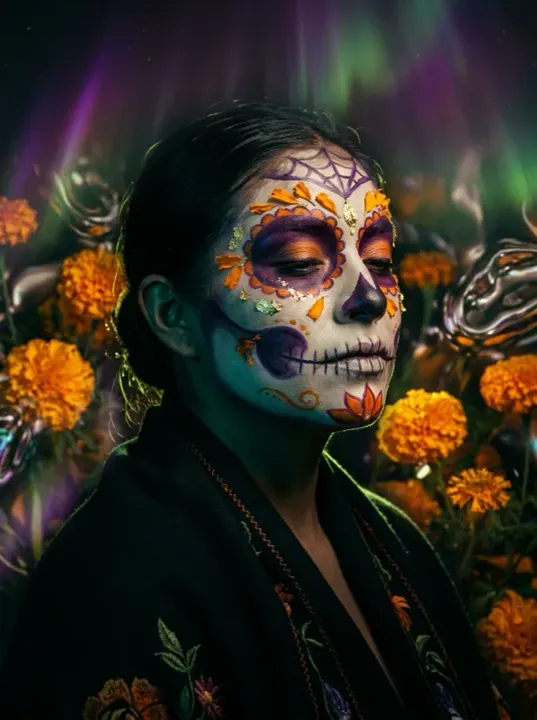 App sample
Examples
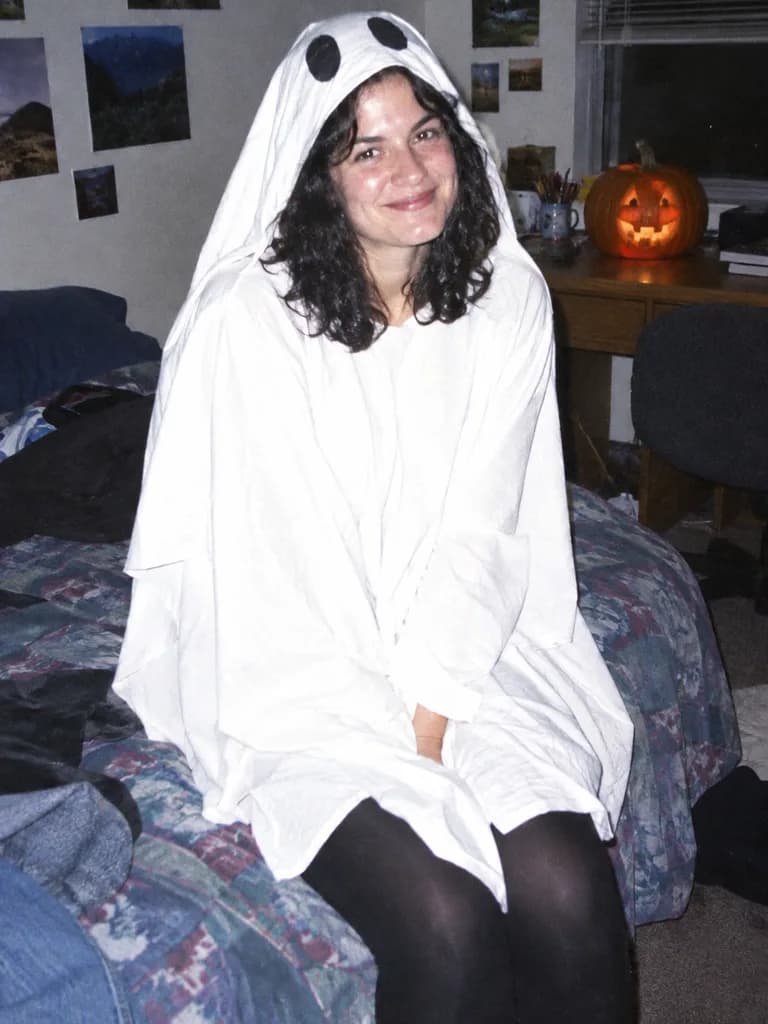
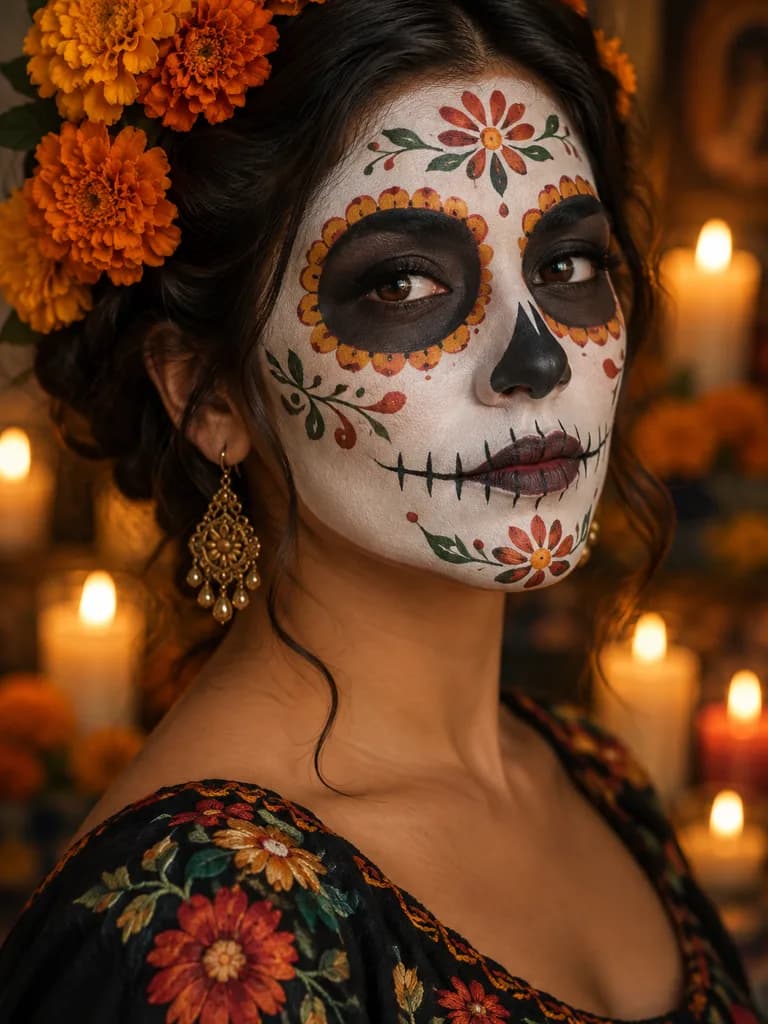
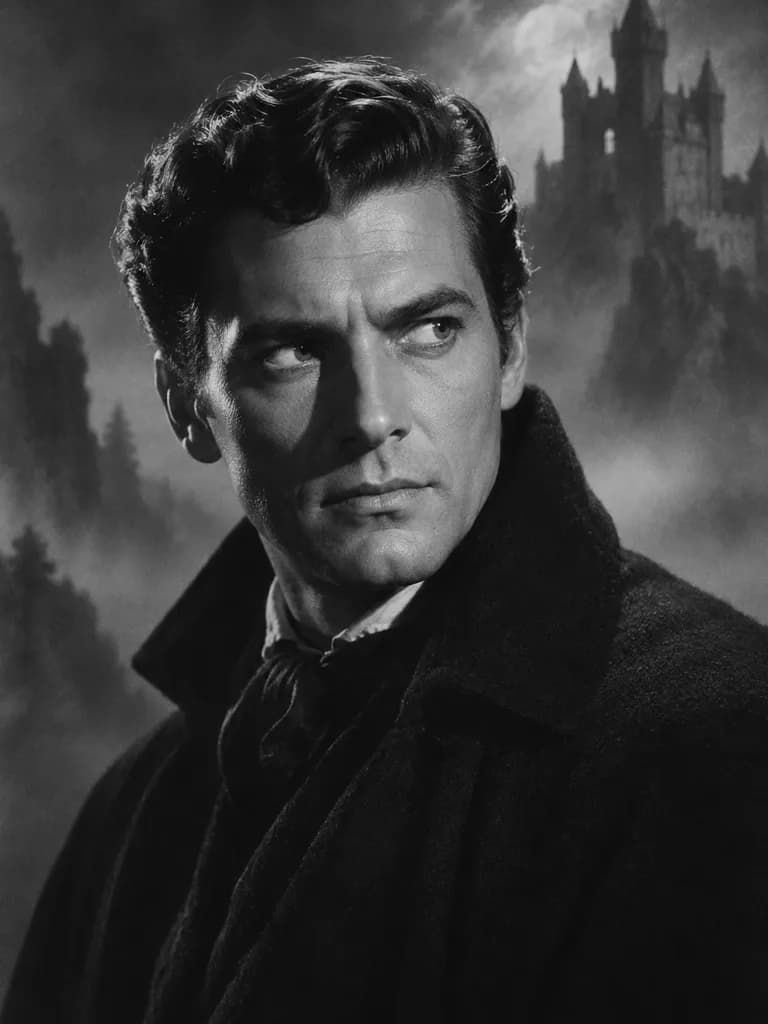
Illustrations of the kind of result this makes. They are not app outputs.
 Illustration
Example instruction: Late-1990s Halloween night snapshot of an adult in a simple homemade costume sitting on a messy bedroom bed, harsh on-camera flash, film grain, slightly overexposed, a carved pumpkin glowing on the desk, candid point-and-shoot look. Person in the upper two thirds of a portrait frame. No text, letters, numbers, logos, brand marks or watermarks anywhere. No celebrities or recognisable real people; any people are diverse adults. Tasteful and family-friendly.
 Illustration
Example instruction: Portrait of an adult woman with elegant Day of the Dead face paint: white base, dark eye circles, delicate floral details, orange marigolds in her hair, warm candlelight behind her, shallow depth of field. Face in the upper two thirds of a portrait frame. No text, letters, numbers, logos, brand marks or watermarks anywhere. No celebrities or recognisable real people; any people are diverse adults. Tasteful and family-friendly.
 Illustration
Example instruction: 1950s black-and-white horror movie studio portrait of an adult man, dramatic side lighting, deep shadows, soft film grain, a misty castle painted backdrop behind him, vintage studio photograph look. Head and shoulders in the upper two thirds of a portrait frame. No text, letters, numbers, logos, brand marks or watermarks anywhere. No celebrities or recognisable real people; any people are diverse adults. Tasteful and family-friendly.
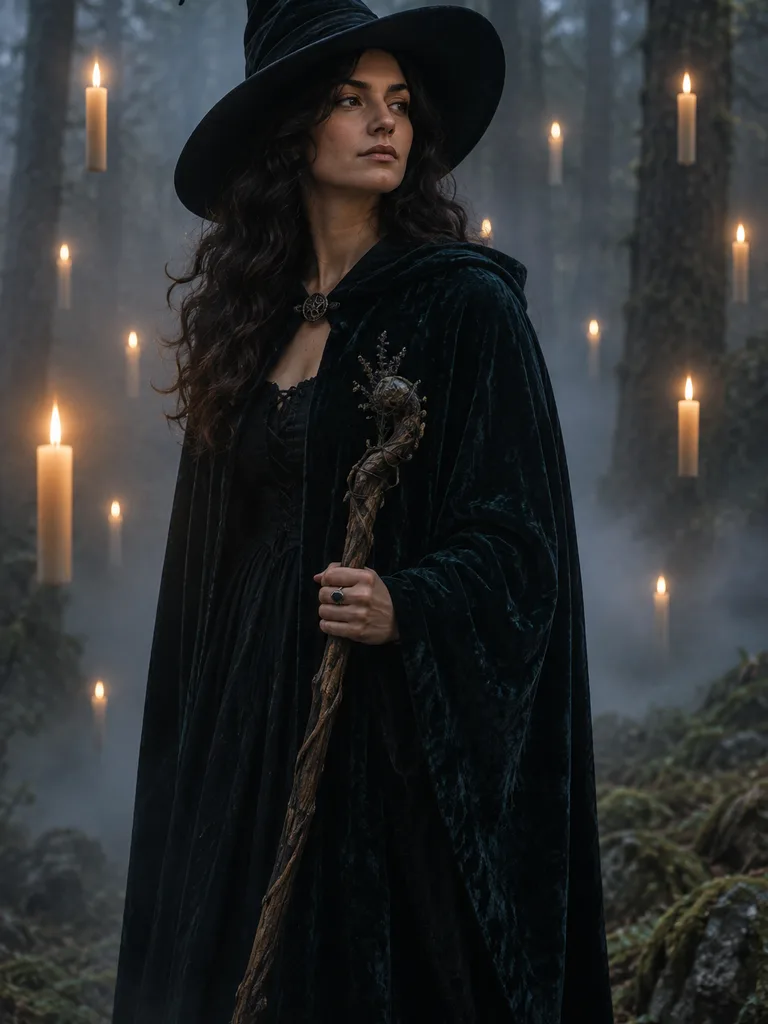 Illustration
Example instruction: Adult woman dressed as a witch in a dark velvet cloak and pointed hat, standing in a foggy forest lit by floating candles, moody cinematic light, photographic. Figure in the upper two thirds of a portrait frame. No text, letters, numbers, logos, brand marks or watermarks anywhere. No celebrities or recognisable real people; any people are diverse adults. Tasteful and family-friendly.
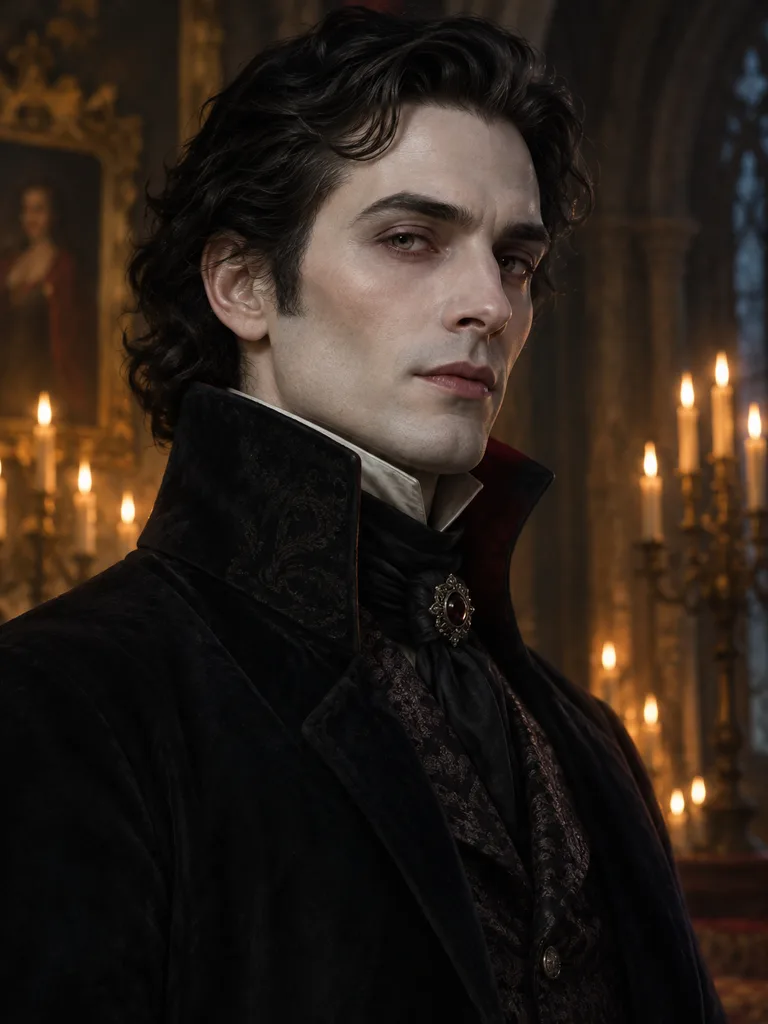 Illustration
Example instruction: Elegant Victorian vampire portrait of an adult man: high-collar dark coat, pale skin, candlelit gothic hall behind him, soft painterly light, photographic with a painterly finish. Head and shoulders in the upper two thirds of a portrait frame. No text, letters, numbers, logos, brand marks or watermarks anywhere. No celebrities or recognisable real people; any people are diverse adults. Tasteful and family-friendly.
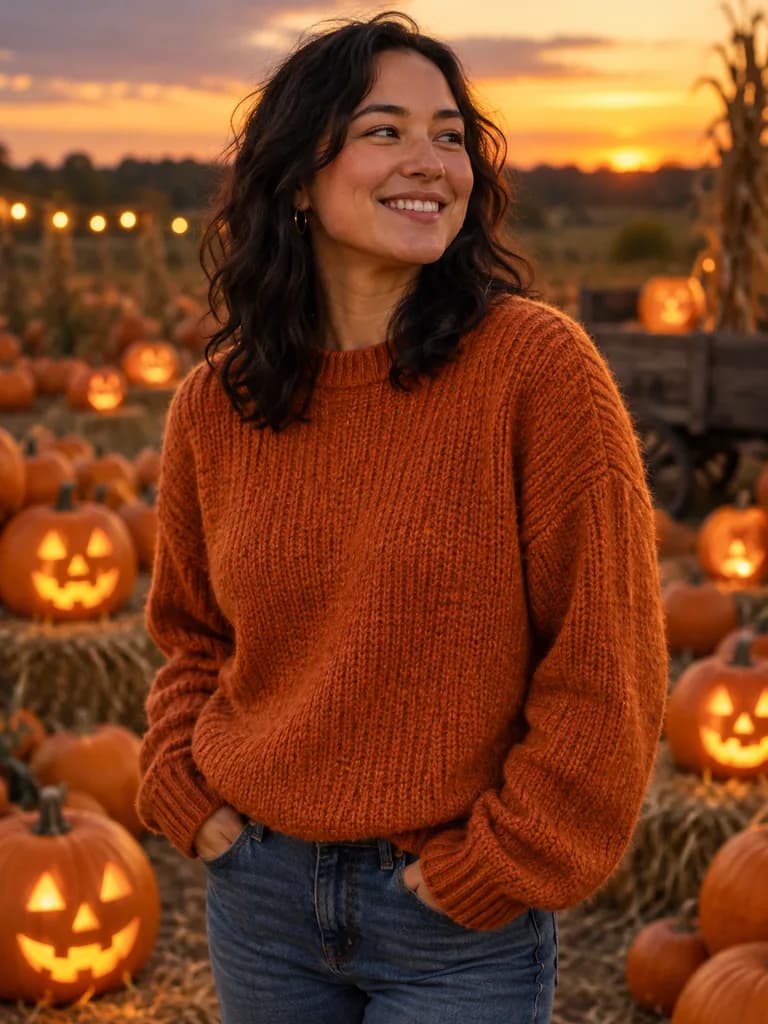 Illustration
Example instruction: Adult in a cozy orange sweater standing in a pumpkin patch at dusk, glowing jack-o'-lanterns around them, warm golden light, shallow depth of field, candid autumn photo. Person in the upper two thirds of a portrait frame. No text, letters, numbers, logos, brand marks or watermarks anywhere. No celebrities or recognisable real people; any people are diverse adults. Tasteful and family-friendly.
How it works
Pick a look
Choose one of the prompts below, or write your own idea.
Add a clear selfie
Face the camera in even light. UniqAI opens with the prompt filled in.
Send and compare
Check that it still looks like you, then save or try another look.
Halloween looks to try
IllustrationIllustration of this look, made from the prompt with an image model, not from your photo. Your result starts from your own photo.
Turn this photo into a late-90s Halloween night snapshot: I'm sitting on a messy bedroom bed, harsh on-camera flash, film grain, slightly overexposed, a carved pumpkin glowing on the desk. Keep my face and features exactly as in the photo.
Apply to my photoIllustrationIllustration of this look, made from the prompt with an image model, not from your photo. Your result starts from your own photo.
Add elegant Day of the Dead face paint to my face: white base, dark eye circles, delicate floral details, orange marigolds in my hair, warm candlelight behind me. Keep my face and features exactly as in the photo.
Apply to my photoIllustrationIllustration of this look, made from the prompt with an image model, not from your photo. Your result starts from your own photo.
Restyle this photo as a 1950s black-and-white horror movie studio portrait: dramatic side lighting, deep shadows, soft film grain, a misty castle in the background. Keep my face and features exactly as in the photo.
Apply to my photoIllustrationIllustration of this look, made from the prompt with an image model, not from your photo. Your result starts from your own photo.
Dress me as a witch in a dark velvet cloak and pointed hat, standing in a foggy forest lit by floating candles, moody cinematic light. Keep my face and features exactly as in the photo.
Apply to my photoIllustrationIllustration of this look, made from the prompt with an image model, not from your photo. Your result starts from your own photo.
Turn me into an elegant Victorian vampire: high-collar dark coat, pale skin, candlelit gothic hall behind me, soft painterly light. Keep my face and features exactly as in the photo.
Apply to my photoIllustrationIllustration of this look, made from the prompt with an image model, not from your photo. Your result starts from your own photo.
Place me in a pumpkin patch at dusk wearing a cozy orange sweater, glowing jack-o'-lanterns around me, warm golden light, shallow depth of field. Keep my face and features exactly as in the photo.
Apply to my photoHow to get a result that still looks like you
- Use a sharp, front-facing selfie with your face well lit and not covered.
- Keep the last line of the prompt: it asks the model to leave your face unchanged.
- If the face drifts, run it again or remove extra details from the prompt.
- These prompts are plain text, so they also work in other image models that edit photos.
Keep it kind
Use your own photos, or photos of people who agreed to it. Do not use photos of children or of anyone who has not given permission, and do not use these looks to impersonate a real person.
You might also like
Questions about AI Halloween Photo
How do I make an AI Halloween photo of myself?
Pick a look on this page and tap Apply to my photo. UniqAI opens with the prompt filled in; add a clear, well-lit selfie and press Send. Every prompt ends with a line asking the model to keep your face, so the result should still look like you.
Do these prompts work in Gemini or ChatGPT?
Yes, they are plain text, so you can paste them into any image model that can edit a photo, including Gemini and ChatGPT. In UniqAI they run on Nano Banana by default, and you can switch to Flux in the model picker.
How much does one Halloween photo cost?
An edit on Nano Banana costs 12 gems and on Flux Schnell 3 gems. The cost is shown next to the model before you generate, so you always see the price first. If a generation fails, the credits are returned.
Why does my face look slightly different?
The model rebuilds the whole image, so fine facial detail can drift, especially with heavy costumes or face paint. Use a sharper selfie, keep the face-keeping line in the prompt, and run it again if needed.
Can I use a photo of a friend or my kids?
Use your own photos, or photos of adults who agreed to it. Please do not upload photos of children or of anyone who has not given permission, and never use a look to pass yourself off as a real person.

Coming soon to the App Store for iPhone
Chat, photo and video generation with several AI models in one app.