

Earth Zoom Out with pets
A dancing dog clip that pulls back from the pet all the way out to the planet.
Upload one photo, paste a zoom-out prompt, and Kling 3.0 or Veo 3 pulls the camera from you to the clouds and on to space.
Updated
 Illustration
App samples come from the UniqAI app. Illustrations show other edits you can ask for.
 Illustration
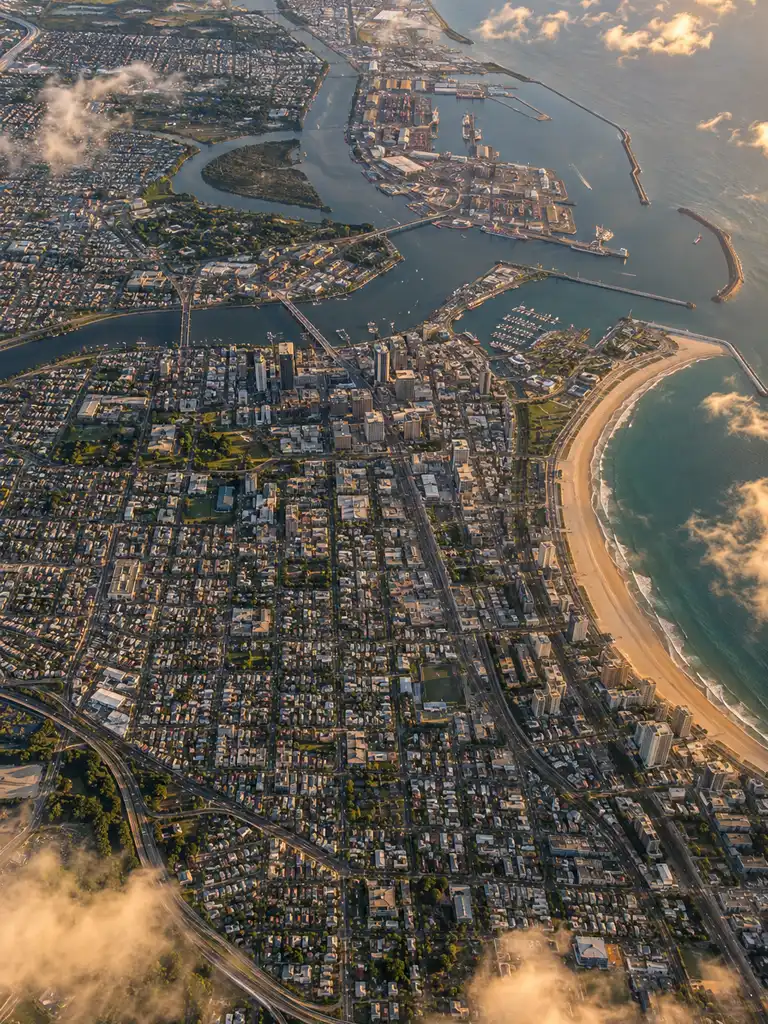
Example instruction: Aerial photograph looking straight down from airliner height at a large coastal city at golden hour: a grid of streets, a river mouth, a harbour and a curved beach, wisps of thin cloud drifting across, crisp detail, natural colours. No landmarks, no text. Vertical frame.
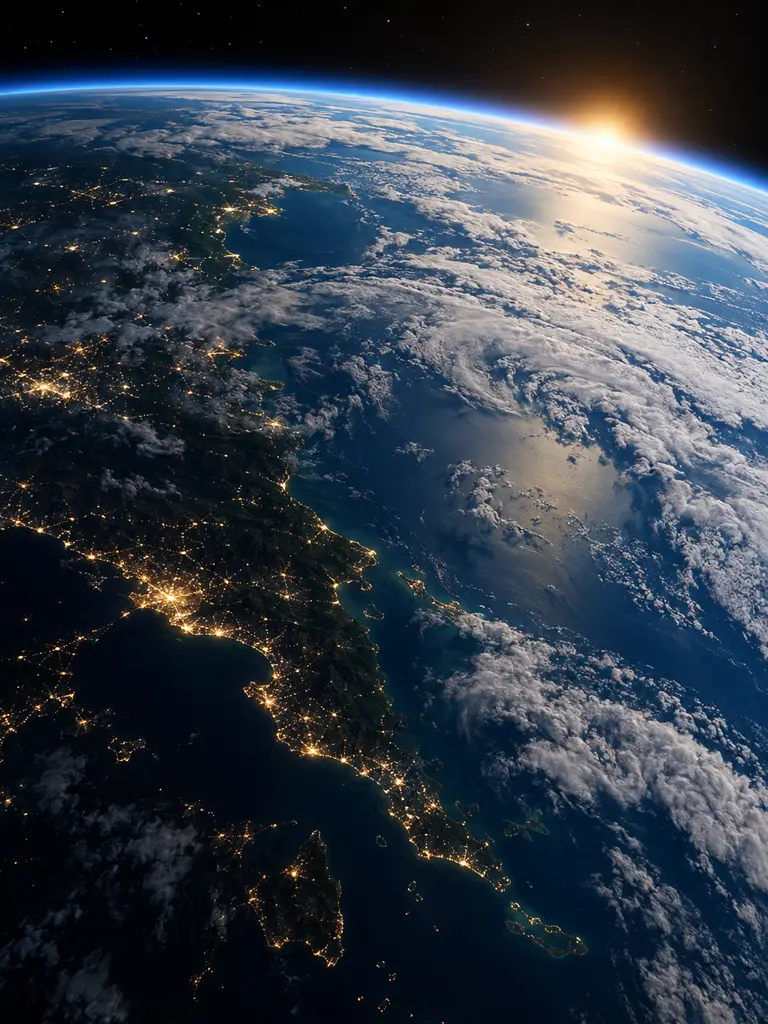 Illustration
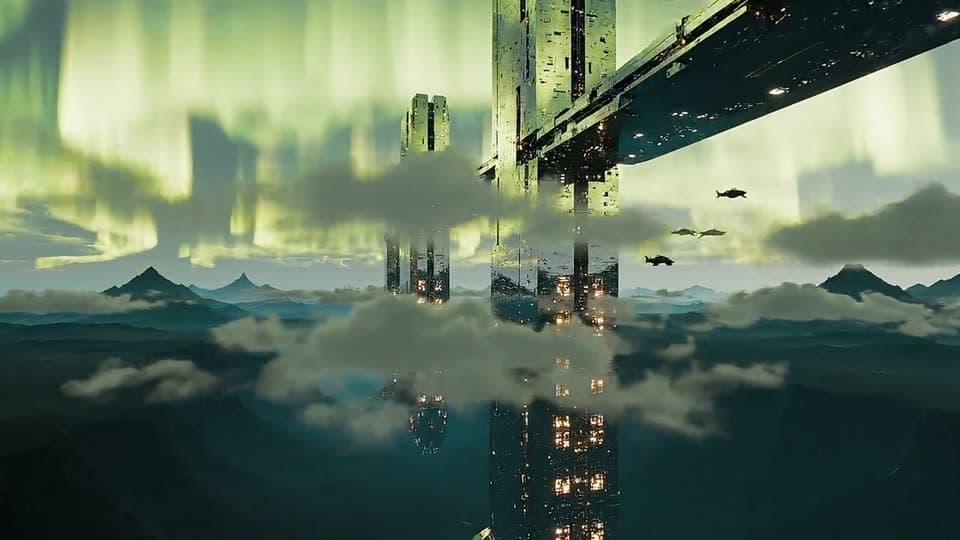
Example instruction: View of the Earth from low orbit at dawn: the curved horizon with a thin glowing blue atmosphere, the night side scattered with warm city lights along a coastline, the day side with white cloud bands over a deep blue ocean, black space with a few faint stars above. Photographic, calm, high detail. Vertical frame.
What people are posting in this format right now. Videos by TikTok creators, shown with TikTok's own player; they were not made with UniqAI.
A dancing dog clip that pulls back from the pet all the way out to the planet.
People end a funny everyday clip by pulling the camera back past the clouds to the whole planet.
A creator shows how one ordinary photo turns into a pull back from the ground to space.
A pilot continues a real aerial shot upward until the whole planet fills the frame.
People start on a single photo and let the camera keep pulling back until only the globe is left.
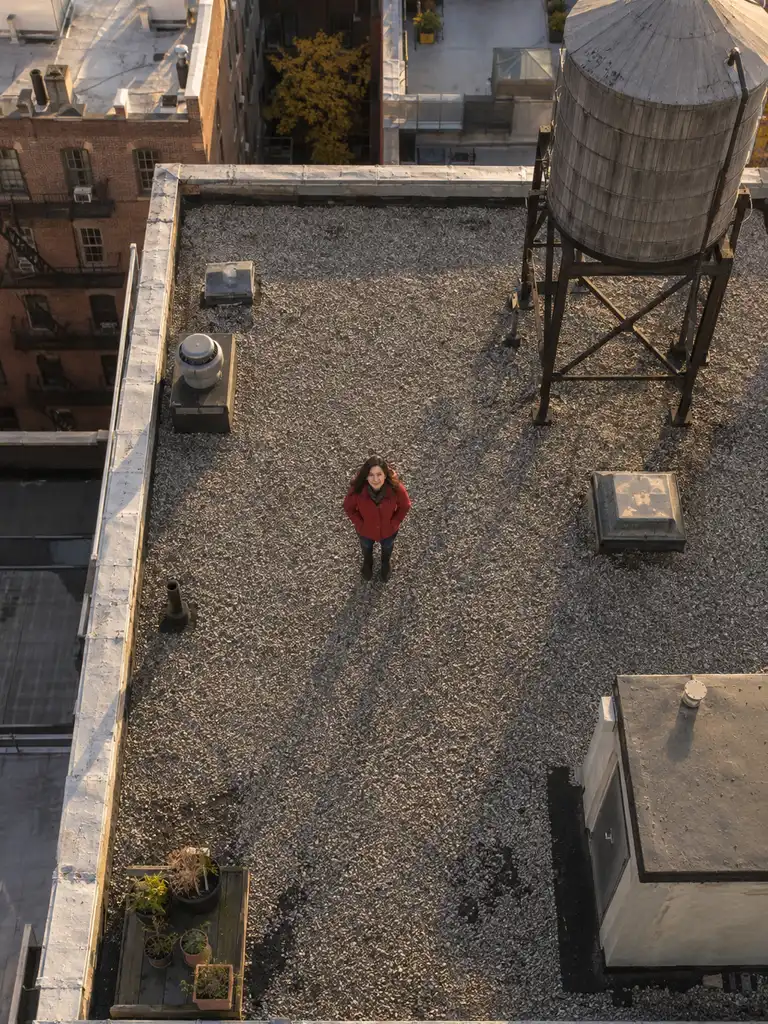
One person or object in the middle of the frame, shot outdoors if you can. A street, rooftop or beach gives the model something to pull back from.
There is no one-tap Earth zoom out button. The prepared prompt asks for one continuous pull back from your photo to space; edit the stops if you like.
Kling 3.0 gives 8 seconds for 120 gems, which leaves room for the whole climb. Veo 3 gives 8 seconds with sound for 2 Cinema credits.
The viral clip starts on a person in an ordinary photo and pulls the camera back without a cut: the street, the city, the clouds, then the whole planet hanging in space. Some apps sell this as a ready template. UniqAI does not have one. You make it with image to video: upload the photo, describe the pull back in the prompt, and the model invents everything outside your original frame.
That is honest work for the model, so expect some tries. The first second usually holds your photo well; the higher the camera climbs, the more the ground turns into a plausible but made-up city. That is fine for this trend, because nobody checks the streets from orbit.
| Model | Length and cost | Good for |
|---|---|---|
| Kling 3.0 | 5 s for 80 gems, 8 s for 120 gems | The default. Holds one long camera move well; pick 8 s for the full climb to space |
| Veo 3 | 6 s for 1 Cinema credit, 8 s for 2 | Adds generated sound, such as wind and a rising whoosh; 16:9 or 9:16 only |
| Veo 3.1 Fast | 6 s for 250 gems, 8 s for 350 gems | Same sound as Veo 3, paid in gems, quicker and a little rougher |
| Wan 2.5 | 5 s for 40 gems | The cheap test of a prompt; 5 s is short for a full zoom to space |
Video models need a paid plan. The cost is shown next to the model before you generate, and a failed generation returns its credits.
Starting on the person in the photo, the camera pulls straight back and rises in one continuous move: the street, then the whole neighbourhood, then the city under thin clouds, then the curve of the planet against black space. The person stays at the centre of the frame and gets smaller. Smooth, accelerating pull back, no cuts. Keep the first frame exactly as in the photo.
Use with my photoThe camera starts directly above the person in the photo, looking straight down, and rises vertically without turning: rooftops, then city blocks, then a coastline, then the whole continent, then the planet in space. Steady, accelerating climb, one continuous shot, no cuts. Keep the person and the first frame exactly as in the photo.
Use with my photoStarting on the person in the photo at night, the camera pulls back and up in one continuous move: lit windows and street lamps, then the glowing grid of the city, then city lights scattered across the dark side of the planet, with a thin blue line of sunrise on the horizon. Smooth, accelerating pull back, no cuts. Keep the first frame exactly as in the photo.
Use with my photoStarting on the person standing on the beach in the photo, the camera pulls back and rises: the waves at their feet, the whole bay, the coastline under scattered clouds, then the blue curve of the planet against black space. The person stays at the centre and shrinks to a dot. One continuous, accelerating move, no cuts. Keep the first frame exactly as in the photo.
Use with my photoThe camera starts close on the person in the photo and pulls back to the planet in space, then reverses and dives back down through the clouds and the city to end on the person exactly as in the photo. One continuous move, smooth acceleration out and back, no cuts.
Use with my photoName the stops in order, from close to far, and keep the subject at the centre: the model follows a list of places better than "zoom out to space" on its own. Ask for one camera move only; adding an orbit or a spin on top of the pull back makes the clip wobble. Kuaishou's camera control guide gives the same advice: one main camera move per shot. If the clip cuts to a new scene halfway, shorten the list of stops or start from a wider photo. For a longer edit, make two clips (street to clouds, clouds to space) and join them in your video editor, then add the trending sound there.
It turns the one photo you upload into a single 5 to 8 second camera move. It does not know your real address, so the city around you is invented, not a map of where you live, and the planet is a rendering, not real satellite footage. Faces are tiny after the first second, which keeps the clip forgiving. Use your own photos, or photos of adults who agreed to it.
No. There is no ready template. You upload your photo to image to video, paste a zoom-out prompt like the ones above, and Kling 3.0 or Veo 3 makes the camera move. It takes a prompt instead of a button, and you can change every stop on the way up.
One person or object near the centre, outdoors, with some street, roof or beach around them. A photo taken from slightly above helps the camera rise naturally. Tight selfies and busy group shots work less well, because the model has to invent too much in the first second.
Kling 3.0 gives 5 seconds for 80 gems or 8 seconds for 120 gems; 8 is better for a full climb to space. Veo 3 gives 6 or 8 seconds with sound for 1 or 2 Cinema credits. Video models need a paid plan, and a failed generation returns its credits.
The model ran out of time or got too many instructions. Name fewer stops, keep one camera move, and pick 8 seconds. If it still stops short, make a second clip from the clouds to space and join the two in your video editor.
No. The model only sees your photo, so everything outside it is invented: plausible streets, a made-up coastline and a rendered planet. It is a creative effect, not a satellite view or a map of where you are.
Yes. Choose 9:16 next to the model before you generate. Kling 3.0 also offers 1:1 and 16:9, and Veo 3 offers 16:9 and 9:16. Kling clips come without sound, so add the trending audio in the TikTok or Reels editor.

Coming soon to the App Store for iPhone
Chat, photo and video generation with several AI models in one app.