

Couple by the tree
Two people rebuild their own photo as a pose in front of a tree with garlands and red ornaments.
Choose a Christmas look, tap Apply to my photo and add a clear selfie.
Updated
 Illustration
s of the kind of result this makes. They are not app outputs.
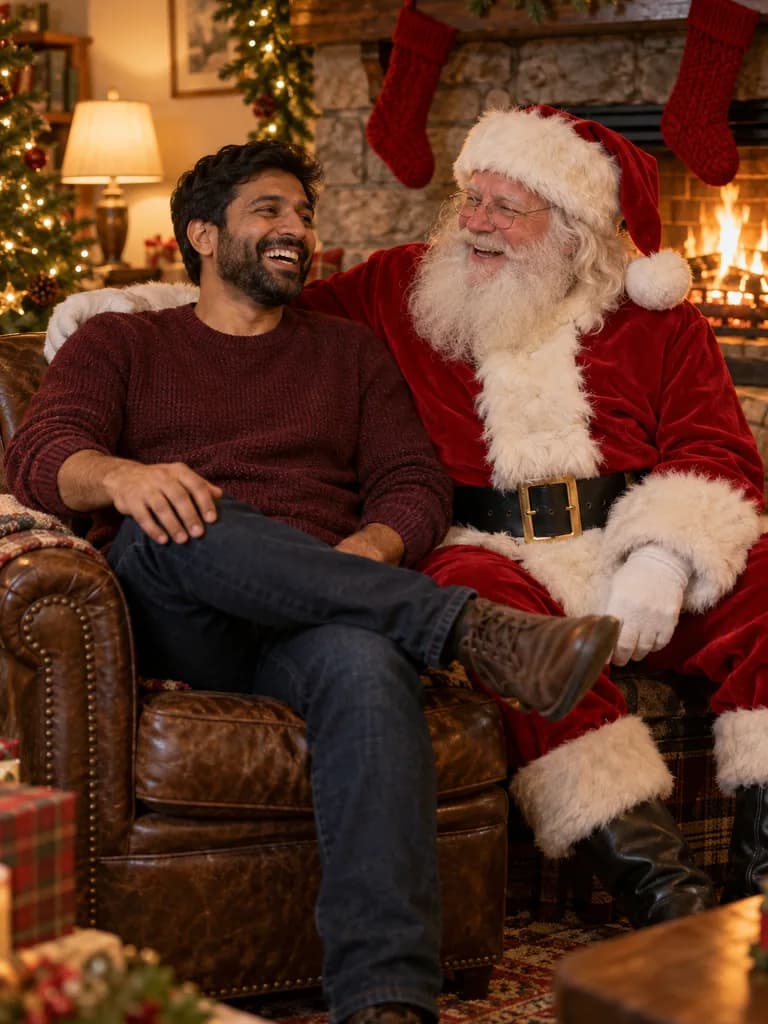 Illustration
Example instruction: Candid holiday photo of an adult South Asian man in his thirties in a burgundy sweater, laughing in a leather armchair next to Santa Claus in a red velvet suit with a full white beard, beside a stone fireplace hung with pine garland and plain red knitted stockings. Warm firelight as the key light, soft fill from table lamps, 35 mm lens at f/2.8, both faces sharp, gentle film grain, real skin textu
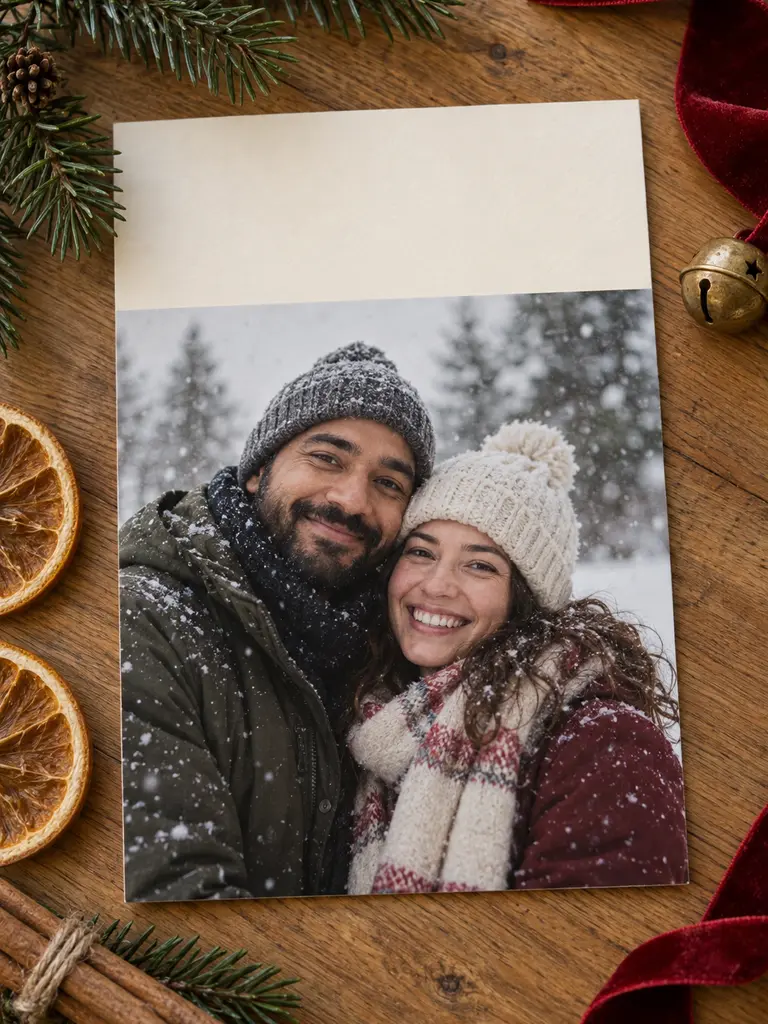 Illustration
Example instruction: Top-down photograph of a printed Christmas photo card lying on a warm oak table. The card shows a photo of a smiling adult couple in winter coats and knitted hats in gently falling snow. The top third of the card is plain cream paper, left completely blank for a handwritten greeting. Around the card: fresh pine sprigs, a red velvet ribbon, dried orange slices, cinnamon sticks and a small brass bel
What people are posting in this format right now. Videos by TikTok creators, shown with TikTok's own player; they were not made with UniqAI.
Two people rebuild their own photo as a pose in front of a tree with garlands and red ornaments.
A regular photo of two people turns into a festive shot with a tree and warm lights.
One selfie becomes a soft holiday portrait on a beige rug surrounded by Christmas decor.
A photo is restyled into a winter scene with falling snow and a snowman.
An ordinary selfie turns into a shot next to Santa and a reindeer in the snow.
Choose a prompt below, or describe your own holiday scene.
Face the camera in soft, even light. UniqAI opens with the prompt already filled in.
Make sure it still looks like you, then save it, print it or try another look.
Place me in a cosy living room beside a decorated Christmas tree, wearing a cream knit sweater and holding a warm mug, fairy lights glowing into soft bokeh behind me, warm evening light. Keep my face and features exactly as in the photo.
Apply to my photoPut me in a leather armchair by a stone fireplace with pine garland, laughing next to Santa Claus in a red velvet suit and a full white beard, warm firelight, candid and relaxed rather than posed. Keep my face and features exactly as in the photo.
Apply to my photoTurn this photo into a printed Christmas card lying on a wooden table, my photo in a snowy winter setting with knitted hats and scarves, the top third of the card left as plain cream paper for a handwritten greeting, pine sprigs and a red ribbon around it. Keep my face and features exactly as in the photo.
Apply to my photoDress everyone in this photo in matching red and green plaid flannel pajamas, sitting close together on a sofa in front of a lit Christmas tree, laughing, warm lamp light and fairy lights, every face sharp. Keep each face and their features exactly as in the photo.
Apply to my photoPut me in a loud knitted ugly Christmas sweater with reindeer, snowflakes and a pompom nose, standing in front of a tinsel wall at a house party, direct on-camera flash with a hard shadow behind me. Keep my face and features exactly as in the photo.
Apply to my photoPlace me at an outdoor Christmas market at night in a wool coat and a chunky scarf, holding a steaming cup, light snow falling, wooden stalls with warm string lights blurred behind me, cinematic colour. Keep my face and features exactly as in the photo.
Apply to my photoUse your own photos, or photos of adults who agreed to it. Do not upload photos of children or of anyone who has not given permission, and do not use these looks to pass yourself off as a real person.
Pick a look on this page and tap Apply to my photo. UniqAI opens with the prompt filled in; add a clear, well-lit selfie and press Send. Each prompt ends with a line asking the model to keep your face, so the result should still look like you.
Yes. Use the Photo with Santa prompt: it places you next to Santa by a fireplace in warm firelight. The Santa in the picture is invented by the model, so it is not a real person, and you can rerun it until the pose and expression feel right.
Yes. The card prompt leaves a plain band at the top, so you can add your greeting later in any editor or print service. We suggest adding text yourself, because image models often misspell words they draw inside a picture.
An edit on Nano Banana costs 12 gems and on Flux Schnell 3 gems. The cost is shown next to the model before you generate, and new accounts start with 30 gems. If a generation fails, the credits are returned.
The model rebuilds the whole image, and every extra face adds room for small changes. Use one sharp photo where everyone faces the camera, keep the face-keeping line in the prompt, and run it again if one person drifts.

Coming soon to the App Store for iPhone
Chat, photo and video generation with several AI models in one app.