

Goodbye 2026 countdown
An upbeat edit with balloons, fireworks and wishes that counts down the last seconds before the new year.
Add one photo, pick a New Year scene and Kling 3.0 animates it into a 5 or 8 second clip.
Updated
 Illustration
App samples come from the UniqAI app. Illustrations show other edits you can ask for.
 Illustration
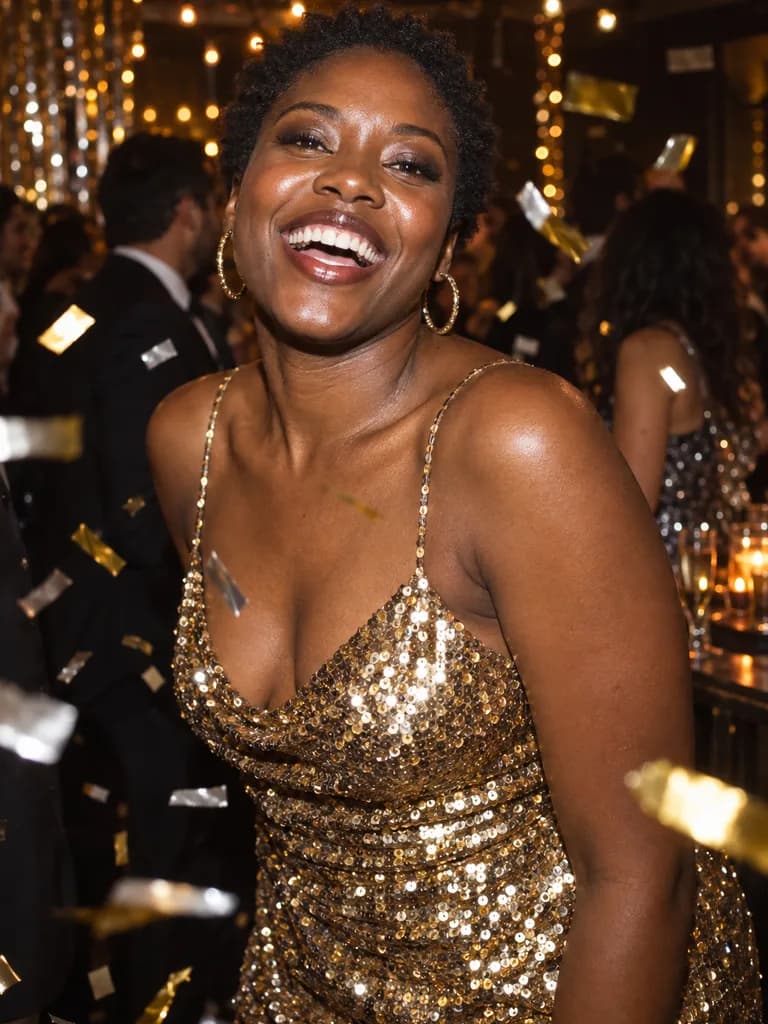
Example instruction: New Year's Eve party portrait of an adult woman of West African descent in her twenties with short natural hair, wearing a gold sequin dress, laughing toward the camera while gold and silver confetti hangs in the air around her. Dark room with warm string lights behind, direct on-camera flash mixed with ambient light so the background glows, 35 mm lens at f/2, glossy party-snapshot look, real skin
 Illustration
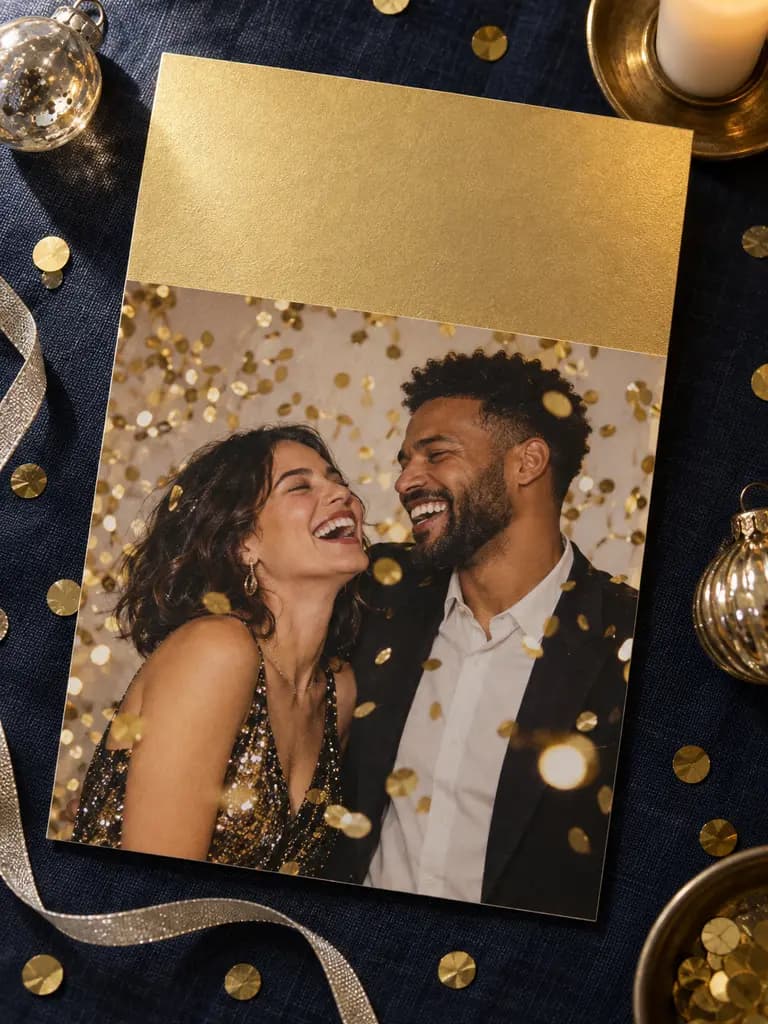
Example instruction: Top-down photograph of a printed New Year greeting card lying on dark navy linen. The card shows a photo of an adult couple in party outfits laughing under falling gold confetti. The top third of the card is plain metallic gold paper, left completely blank for a greeting. Around the card: scattered gold confetti, a thin silver ribbon, two small glass ornaments and a lit taper candle. Soft directio
What people are posting in this format right now. Videos by TikTok creators, shown with TikTok's own player; they were not made with UniqAI.
An upbeat edit with balloons, fireworks and wishes that counts down the last seconds before the new year.
Turn the flash on and move the phone down as you shoot to get a selfie lit up against light trails.
A behind-the-scenes look at a portrait shoot staged in front of a live fireworks display.
A quick tutorial on dropping fireworks into an ordinary photo to make a New Year picture.
Filming the crowd count down and the fireworks burst over the river by the clock tower in London.
A creator films a New Year countdown in China, from the crowd's final seconds to the celebration after.
A well-lit photo of you, or of friends who agreed to it, with faces easy to see.
Fireworks, confetti, sparklers or a cosy night in. The prompt opens filled in, so you can edit it.
5 or 8 seconds, 9:16 for Stories and TikTok. Check the clip, then save or try another scene.
It is midnight on New Year's Eve. Behind the person in the photo, colourful fireworks burst in the night sky and light up their face in warm flashes. They look up at the sky, then turn to the camera and smile. Slow push-in, gentle and steady camera. Keep their face, hair and clothes exactly as in the photo.
Make a clip from my photoGold and silver confetti starts falling from above onto the person in the photo at a New Year's Eve party. They laugh, catch a few pieces and toss them toward the camera. Warm string lights glow in the dark room behind them. Steady handheld feel. Keep their face, hair and clothes exactly as in the photo.
Make a clip from my photoThe person in the photo holds a lit sparkler on a snowy street at night and slowly draws a circle in the air with it. Sparks fly and light their face gold, breath shows in the cold air, warm windows glow behind them. The camera holds still. Keep their face, hair and clothes exactly as in the photo.
Make a clip from my photoAt a New Year's Eve party, the people in the photo raise their glasses toward each other, clink them and cheer as the clock strikes midnight. Streamers and balloons drift behind them, soft party lights. Gentle camera move from left to right. Keep every face, hairstyle and outfit exactly as in the photo.
Make a clip from my photoThe person in the photo sits on a sofa under a blanket in a paper party hat, holding a warm mug. Small fireworks burst over the rooftops through the window behind them. They lift the mug toward the camera and smile. Warm lamp light, slow push-in. Keep their face, hair and clothes exactly as in the photo.
Make a clip from my photoTurn the scene into a 1920s art deco ballroom on New Year's Eve: gold geometric walls, balloons and a tall tower of glasses behind the person in the photo. They sway gently to jazz and glance at the camera with a smile as gold confetti falls. Warm tungsten glow, slow camera drift. Keep their face exactly as in the photo.
Make a clip from my photoKling 3.0 is the default for motion: 5 seconds for 80 gems or 8 seconds for 120. Wan 2.5 makes a 5 second clip for 40 gems and is the cheaper test run. Kling and Wan clips come without sound, so add music in your video editor when you post. Veo 3 generates its own sound, such as cheering and fireworks, for 1 Cinema credit (6 s) or 2 (8 s); Veo 3.1 Fast does the same for 250 or 350 gems. All video models need a paid plan, the cost is shown next to the model before you generate, and a failed generation returns its credits.
Restyle this photo as a New Year's Eve party portrait: I'm wearing a gold sequin outfit, laughing, with gold and silver confetti in the air and warm string lights glowing behind me. On-camera flash mixed with ambient light, glossy party-snapshot look. Keep my face and features exactly as in the photo.
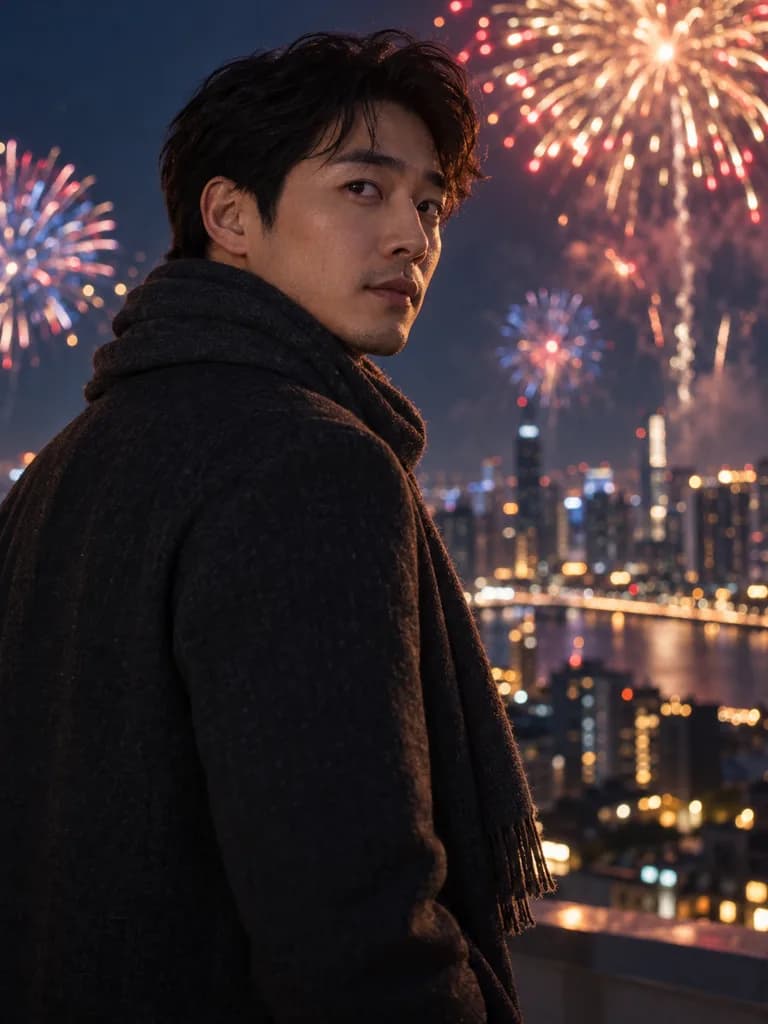
Apply to my photoPlace me on a city rooftop at midnight in a wool coat and scarf, glancing back over my shoulder, with large colourful fireworks blooming over the skyline behind me and a soft warm rim light on my face. Cinematic, deep blue night. Keep my face and features exactly as in the photo.
Apply to my photoTurn this photo into a printed New Year greeting card lying on dark navy linen, shot from above. The card shows my photo with gold confetti falling around me. Leave the top third of the card as plain gold paper with no text, so I can add my own greeting. Scattered confetti and a thin silver ribbon around the card. Keep my face exactly as in the photo.
Apply to my photoImage and video models often misspell words and jumble numbers, so the prompts above leave text out. For a countdown clip, generate the midnight moment first, then add the numbers, the year and your greeting in a phone video editor or in Stories. For a card, keep the blank band from the prompt and type your message on top. A clip made from a photo also works as an animated card: send it in a chat instead of a still image.
Pick a scene on this page and tap Make a clip from my photo. UniqAI opens with the prompt filled in and Kling 3.0 selected; add one clear photo, choose 5 or 8 seconds and 9:16 for Stories, then generate. You see the cost before you start.
Yes, with Veo 3. It generates its own audio, such as cheering, clinking glasses and fireworks, for 1 Cinema credit for 6 seconds or 2 for 8 seconds. Kling 3.0 and Wan 2.5 clips are silent, so add a song in your video editor when you post.
Kling 3.0 costs 80 gems for 5 seconds or 120 for 8. Wan 2.5 costs 40 gems for 5 seconds. Video models need a paid plan. A New Year photo or card on Nano Banana costs 12 gems. If a generation fails, the credits are returned.
Add it after generating. Video and image models often get letters and numbers wrong, so the prompts here leave text out. Put the countdown, the year and your greeting on top in a phone video editor or in Stories, where you control the font and spelling.
Yes, if everyone is in the one photo you upload. The midnight toast prompt is written for a group. Ask for one simple shared action; with more people in the frame, faces and hands can drift more than in a solo clip.
Choose 9:16 next to the model and the clip comes out vertical, ready for Stories, TikTok, Reels or Shorts. Kling 3.0 also offers 1:1 and 16:9, and Veo 3 offers 16:9 for a wide version to send in a chat.

Coming soon to the App Store for iPhone
Chat, photo and video generation with several AI models in one app.