

Couple aging check
Two partners run the old age filter side by side and react to how they might look together decades from now.
Upload a clear selfie, pick how many years to add or take away, and the model redraws your face at that age.
Updated
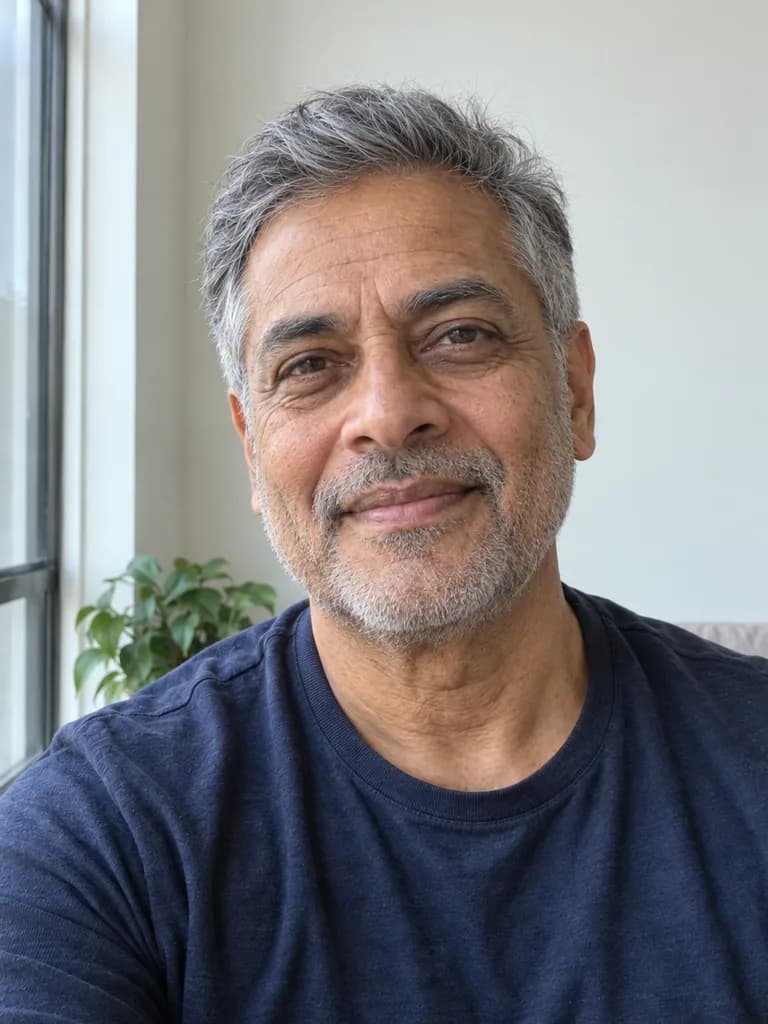
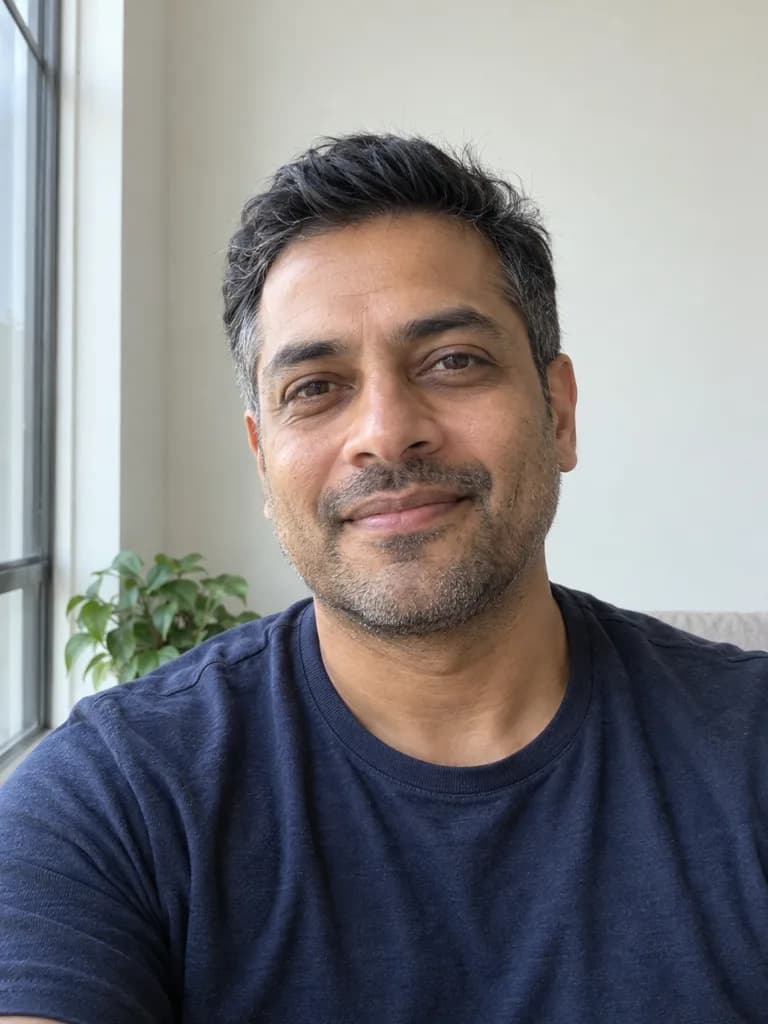 BeforeAfter
App samples come from the UniqAI app. Illustrations show other edits you can ask for.
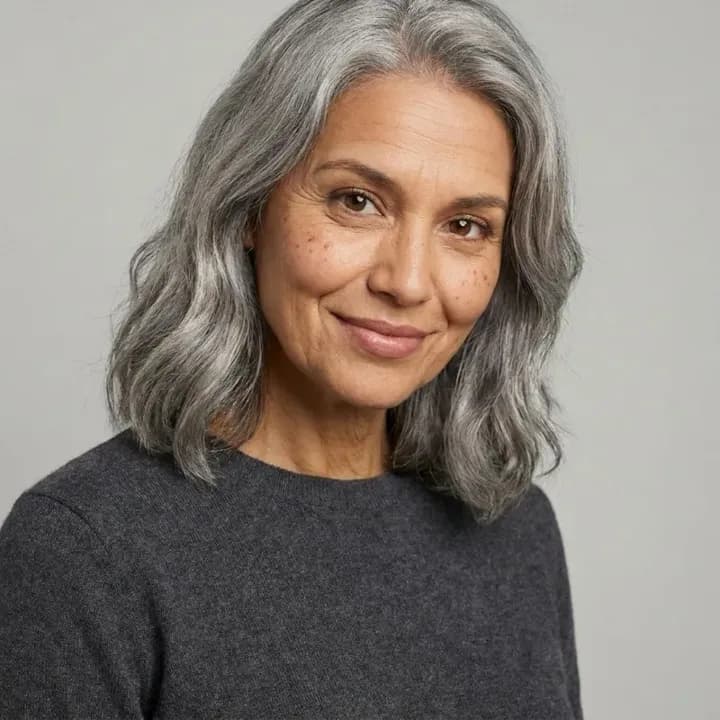 App sample
Prompt: Show this person 30 years older, realistic, same pose and lighting.
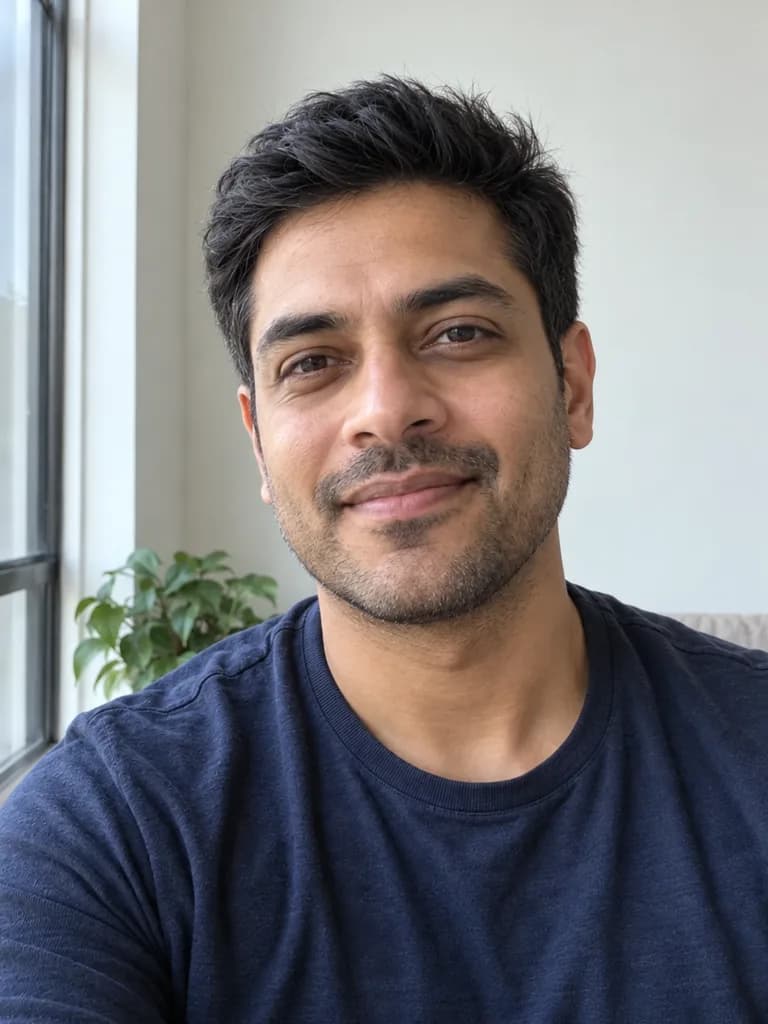 BeforeAfter
What people are posting in this format right now. Videos by TikTok creators, shown with TikTok's own player; they were not made with UniqAI.
Two partners run the old age filter side by side and react to how they might look together decades from now.
A creator turns the filter on mid-video and reacts to her much older face with mock horror.
A beauty creator does a full glam look while the aging filter shows her face at around eighty.
A short clip where someone watches the filter add decades to her face and laughs at the result.
A creator plays an older version of herself through the aging filter as a comedy sketch.
Even light, face fully visible, no sunglasses or heavy filters. Use a photo of yourself or of an adult who agreed.
Choose a prompt below or write your own: how many years older or younger, and what should change.
Each look is a 12-gem run on the same selfie. Try older and younger to see both directions.
App sampleShow me about 30 years older: grey in the hair, natural wrinkles and smile lines, slightly softer jawline. Keep my identity, expression, pose, clothes, background and lighting exactly as in the photo.
Apply to my selfieShow me at around 80 years old: white or silver hair, deep natural wrinkles, age spots, thinner skin, a kind and relaxed expression. Keep my identity, pose, clothes, background and lighting as in the photo, and make it look like a real photograph.
Apply to my selfieShow me about 10 years older: a few grey hairs, faint lines around the eyes and on the forehead, otherwise the same. Keep my identity, expression, pose, clothes, background and lighting exactly as in the photo.
Apply to my selfieShow me about 10 years younger as an adult: smoother skin, fuller hair, fewer lines, the same face shape and features. Keep my identity, expression, pose, clothes, background and lighting exactly as in the photo.
Apply to my selfieShow me as an adult in my mid-twenties: smooth skin, full hair in my natural color, no wrinkles, same face shape and features. Keep my identity, pose, clothes, background and lighting as in the photo. Adult face only.
Apply to my selfieShow me about 40 years older in a black-and-white studio portrait: silver hair, natural wrinkles, soft window light. Keep my identity and expression, and make it look like a real photograph.
Apply to my selfieIt is a generative edit, not a face-tracking lens. You send one photo and a sentence, and the model redraws the face with the changes you asked for: grey hair, lines, skin texture, a softer jawline, or the reverse when you go younger. The rest of the prompt asks it to keep your identity, pose and background, so the result still reads as you. This is the same idea as the Age me effect in the app, which asks for 30 years older with the same pose and lighting.
Use your own photos or photos of adults who agreed to it. The younger prompts on this page stop at a young adult on purpose: please do not upload photos of children, and do not try to turn an adult photo into a child.
The age filter itself makes a still image. If you want motion, save the older look and bring it into image to video, where a model such as Kling 3.0 or Wan animates a single photo into a short clip. Video models cost more than images and need a paid plan; the cost is shown next to the model before you generate.
It shows a plausible older or younger version of your face. It is not a prediction of how you will actually age: the model does not know your genes, health, sun exposure or habits, and two runs of the same prompt can give different results. Fine details like eye shape or a mole can drift, so compare the result with the original and run it again if it stops looking like you.
Tap Apply to my selfie on one of the prompts, add a clear front-facing photo in the web app and send. The model redraws your face with the years you asked for and keeps the pose and background, so you can compare it with the original.
Yes, as an adult. The younger prompts smooth the skin, fill out the hair and remove lines, and they stop at a young adult look on purpose. The tool is not meant to turn adult photos into children, and photos of children should not be uploaded.
One look on Nano Banana costs 12 gems, shown next to the model before you generate. If a generation fails, the gems are returned automatically. An older look and a younger look of the same selfie come to 24 gems.
It is a believable picture, not a forecast. The model adds typical signs of age like grey hair and wrinkles, but it does not know your genes, health or habits, so real aging can look quite different. Treat it as a fun preview rather than a prediction.
Yes, in two steps. The age filter makes a still; save it, then open image to video and describe a small motion, like a slow smile or a camera push-in. Video models cost more than images and need a paid plan.
The model repaints the whole face, so fine features can drift, especially with big jumps like 40 or 50 years. Use a sharp, well-lit selfie, keep the line that asks to keep your identity, and try a smaller step first.

Coming soon to the App Store for iPhone
Chat, photo and video generation with several AI models in one app.