

AI Face Generator: Portraits From a Description or Your Selfie
Describe a face in a sentence for a realistic or stylised portrait, or upload a selfie and change its look.
Updated
 Illustration
Examples
Illustrations of the kind of result this makes. They are not app outputs.
 Illustration
 Illustration
 Illustration
 Illustration
 Illustration
How it works
Describe the face
Age range, skin and hair, one defining feature, clothing, then the light. Say "realistic photo" or name a painted style.
Pick a model and a ratio
Flux Schnell for 3 gems to try wordings, FLUX 1.1 Pro for a final; 4:5 or 9:16 suits a portrait.
Refine, or start from a selfie
Change one detail per run. To restyle your own face instead, add a selfie and Nano Banana keeps it for 12 gems.
Which model makes which kind of portrait?
| Model | Cost per image | Input | Pick it for |
|---|---|---|---|
| Flux Schnell | 3Gems | Text | A new face from a description; quick tests of wording, light and style |
| Nano Banana | 12Gems | Your selfie plus text | A new look on your own face: light, backdrop, outfit or a painted style, with the likeness kept |
| FLUX 1.1 Pro | 18GemsPaid plan | Text | A final realistic portrait in 4:5 or 9:16 with the most detail |
The cost is shown next to the model before you generate, and a failed generation returns its gems. Plans and gem packs are on the pricing page.
Portrait prompts to copy or run
IllustrationIllustration made from this prompt with an image model, not a result from the UniqAI app.
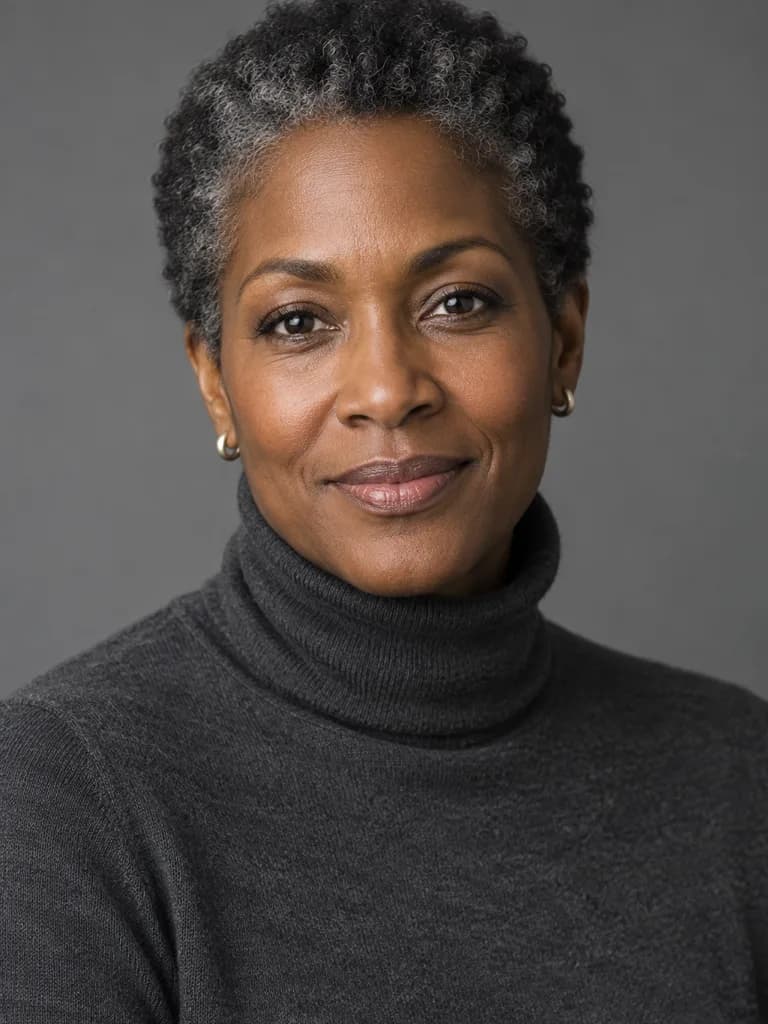
Studio portrait of a woman in her forties with dark skin and short grey-streaked natural hair, charcoal turtleneck, calm direct gaze. 85 mm lens, one large soft light from the left, neutral grey seamless backdrop, natural skin texture, head and shoulders, vertical frame.
Run this promptIllustrationIllustration made from this prompt with an image model, not a result from the UniqAI app.
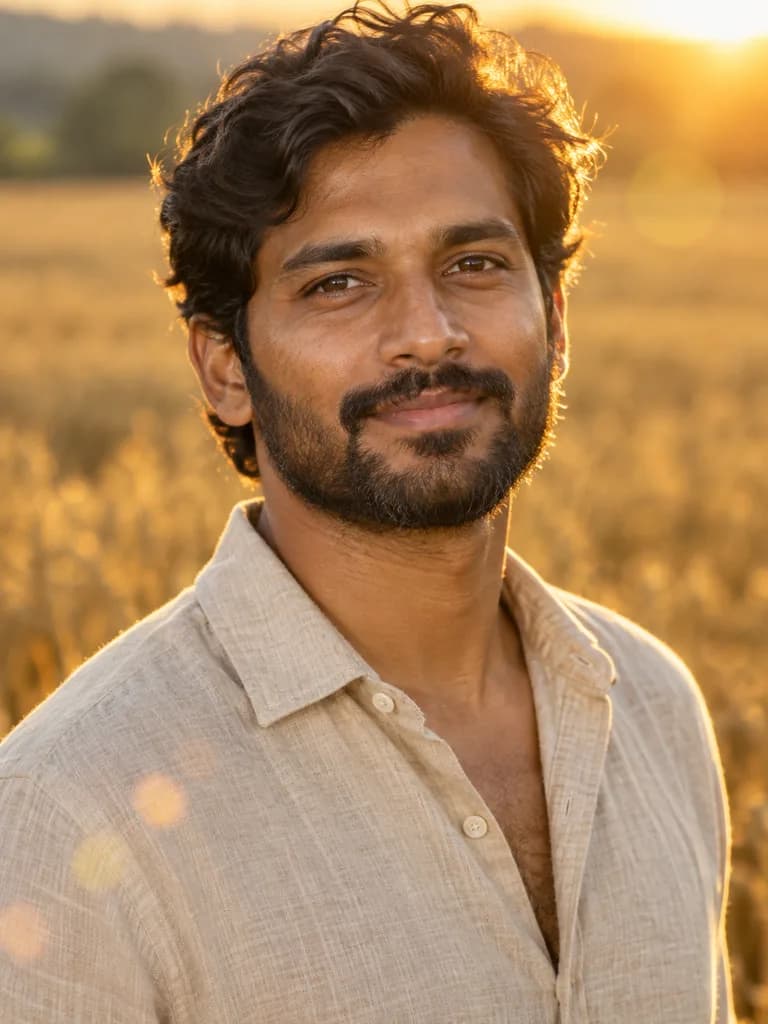
Outdoor portrait of a South Asian man in his thirties with a short beard, open-collar linen shirt, standing in a wheat field at golden hour. Warm backlight through the hair, soft fill on the face, shallow depth of field, gentle lens flare, natural skin, head and shoulders, vertical frame.
Run this promptIllustrationIllustration made from this prompt with an image model, not a result from the UniqAI app.
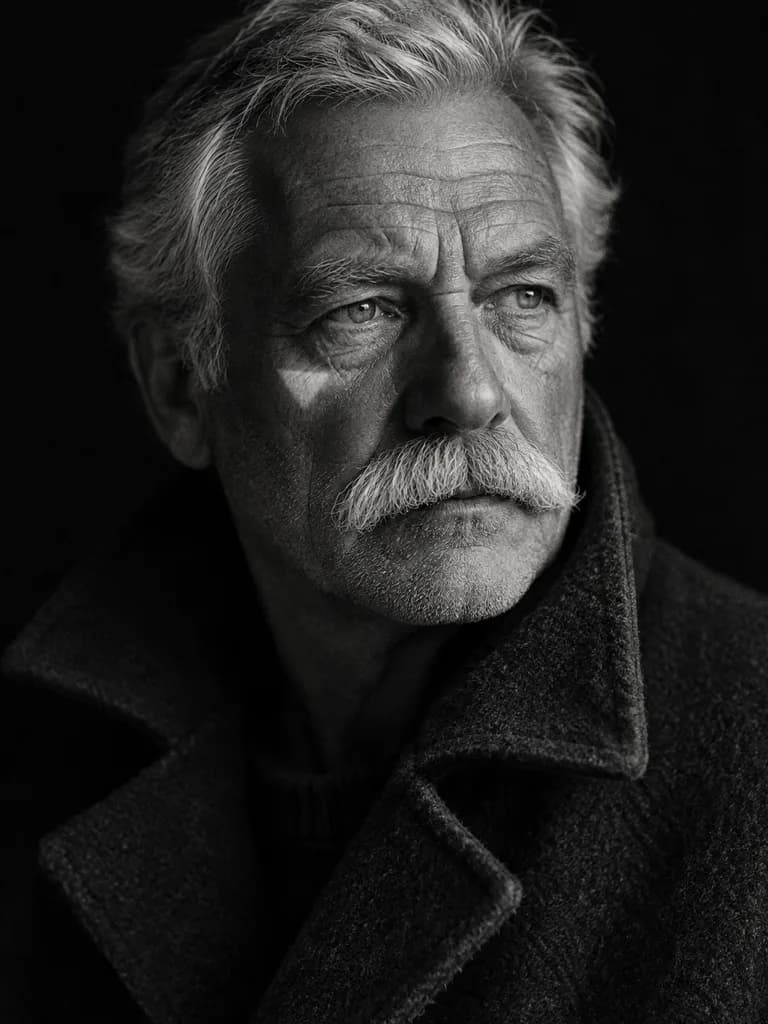
Black-and-white portrait of a man in his late sixties with a weathered, deeply lined face and a white moustache, wool coat with the collar up. Rembrandt light from a single window, dark background, fine film grain, sharp eyes, head and shoulders, vertical frame.
Run this promptIllustrationIllustration made from this prompt with an image model, not a result from the UniqAI app.
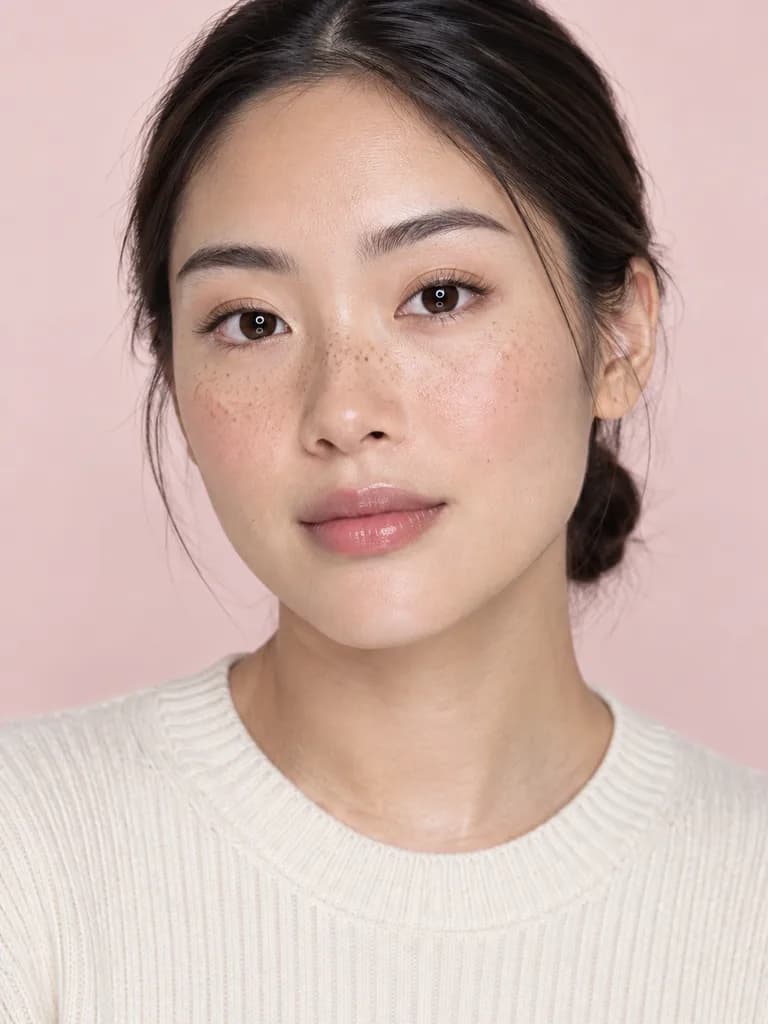
Beauty portrait of an East Asian woman in her twenties with light freckles and hair pulled back, cream ribbed knit, minimal makeup. Large soft light straight on with a white bounce under the chin, pale pink backdrop, real skin texture with visible pores, head and shoulders, vertical frame.
Run this promptIllustrationIllustration made from this prompt with an image model, not a result from the UniqAI app.
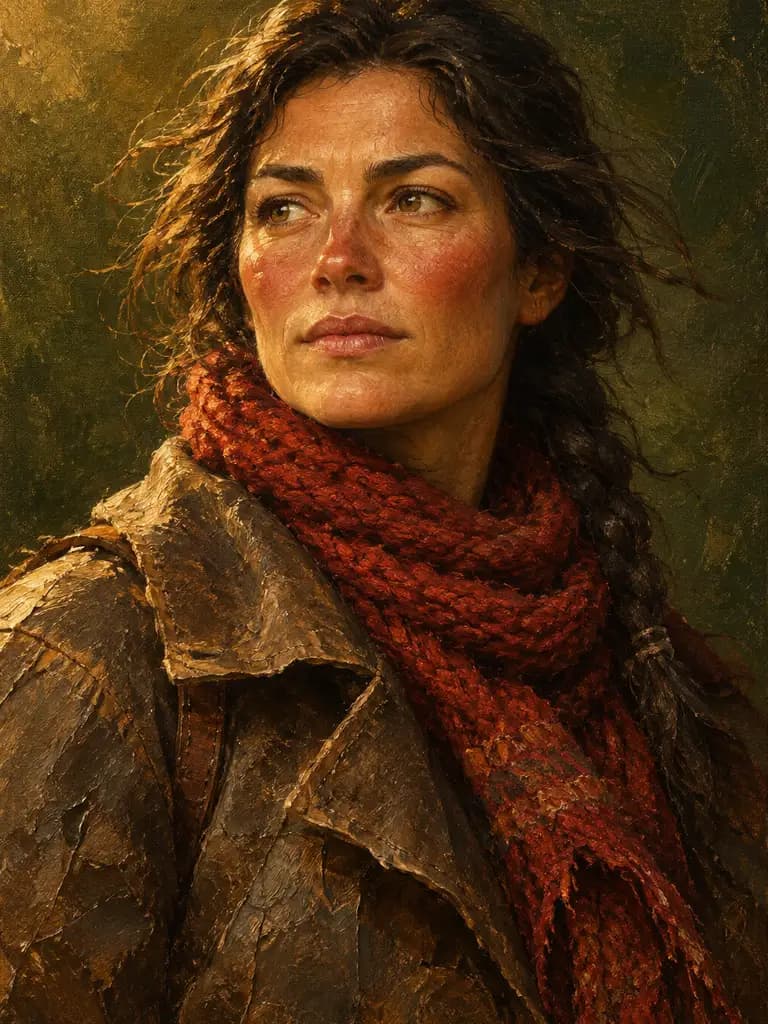
Oil-painted portrait of an imagined explorer: a woman in her thirties with sun-browned skin, windburnt cheeks and dark hair under a braided red scarf, in a worn leather coat. Visible brush strokes, warm amber light, dark olive painted background, museum portrait feel, head and shoulders, vertical frame.
Run this promptIllustrationIllustration made from this prompt with an image model, not a result from the UniqAI app.
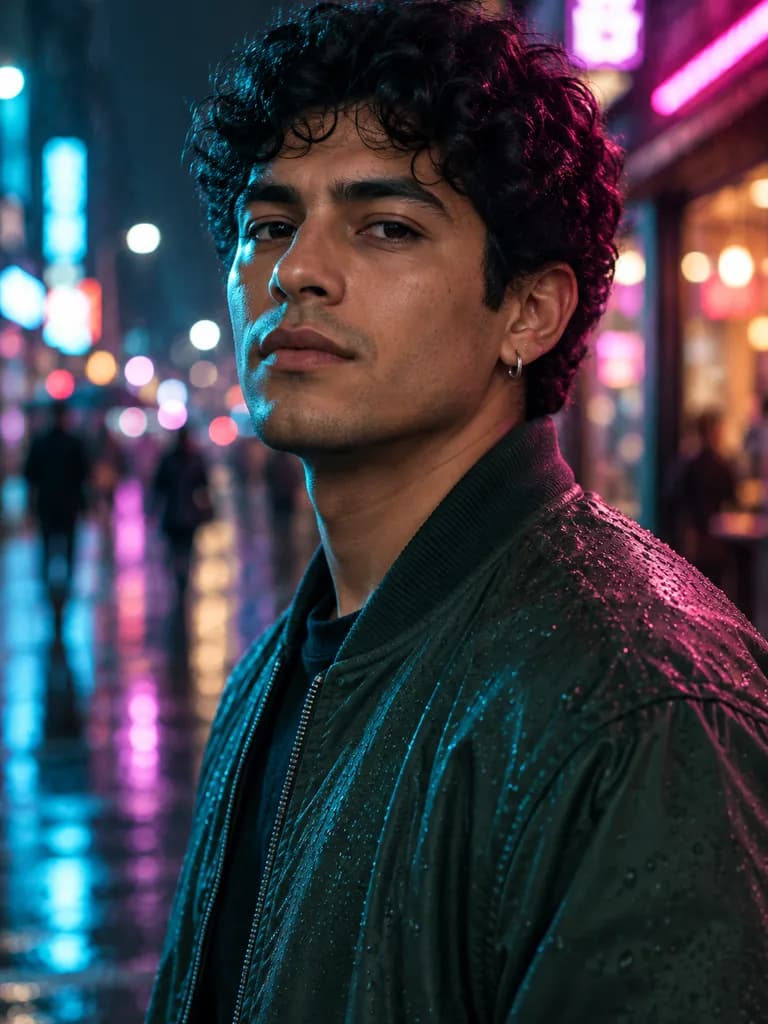
Night portrait of a Latino man in his twenties with dark curly hair and a small silver earring, dark green bomber jacket, on a rain-wet street lit by shop signs. Cyan rim light on one side, magenta on the other, shallow depth of field, cinematic color grade, natural skin, head and shoulders, vertical frame.
Run this promptHow do I describe a face so the portrait looks real?
Write it the way a photographer would brief a shoot, in this order:
- Person: age range, skin tone, hair, one defining feature (freckles, a white moustache, a shaved head). Invent the person; do not name a real one.
- Clothing and expression: "charcoal turtleneck, calm direct gaze" does more than "beautiful".
- Lens and light: "85 mm, one soft light from the left" or "golden-hour backlight" sets the whole mood.
- Backdrop and framing: "neutral grey seamless, head and shoulders, vertical frame".
- Skin: add "natural skin texture, visible pores" to avoid the waxy look.
For a stylised portrait, swap the lens line for a medium: "oil painting with visible brush strokes", "black ink sketch", "anime line art". Test the wording on Flux Schnell for 3 gems and run the final on FLUX 1.1 Pro; the same recipe works on the text to image page for any subject.
Can I make a portrait from my own selfie?
Yes. Instead of inventing a face, upload a clear selfie in the web app, pick Nano Banana and describe the new look: "studio light on a grey backdrop, dark blazer" or "oil-painted portrait with warm light". The model keeps your features and repaints the rest for 12 gems. End the prompt with "keep my face exactly as in the photo" and compare the result with the original, because fine detail can drift. For a ready-made professional look, the AI headshot generator opens the same editor with the prompt written; for anime and other stylised looks, see AI avatars.
Are the generated faces real people?
No. A face made from a description is synthetic: the model composes it from patterns it learned, and it does not belong to anyone. That makes it useful for characters, placeholders, mockups and art. It also sets two limits. Do not prompt for a named real person or a celebrity; the model is not built for that and the result would be a fake of someone who did not agree to it. And do not present a generated portrait as a photo of a real person. When you start from a selfie, use your own photo or one of an adult who agreed to it.
About the examples
The portraits on this page are illustrations made with an image model from the prompts shown under each card, so you can see what a given wording produces. They are not UniqAI outputs and none of the people exist. Examples generated in the app will be added.
What it can and cannot do
Each run makes a new portrait, so the same prompt gives a different face every time; there is no saved face to reuse across images. If you need the same person in several pictures, start each run from the same selfie on Nano Banana, or keep the exact wording and generate several candidates. Small text, jewellery engravings and hands near the face are the weak spots of every image model, and very long prompts with conflicting instructions render less predictably. A finished portrait can be animated into a short clip on the image to video page.
Questions about AI Face Generator
How much does one AI-generated portrait cost?
A portrait from a description costs 3 gems on Flux Schnell or 18 gems on FLUX 1.1 Pro, which needs a paid plan. A new look on your own selfie costs 12 gems on Nano Banana. The cost is shown next to the model before you generate, and a failed generation returns its gems.
Can the AI face generator make a realistic face?
Yes. Ask for a photographic look with a lens, a light source and "natural skin texture, visible pores", and the result reads as a photo of a person who does not exist. Leave those words out and name a medium, such as oil paint or ink, for a stylised portrait instead.
Can I generate a portrait of myself or someone I know?
Of yourself, yes: upload a selfie, pick Nano Banana and describe the new look, and the model keeps your face. Use your own photos or those of adults who agreed. Do not prompt for named real people or celebrities; generated faces are for characters and art, not for impersonation.
Will the same face appear again if I reuse the prompt?
No. Each run composes a new face, so two runs of one prompt give two different people. To keep one face across several images, start every run from the same selfie on Nano Banana, or generate several candidates from the same wording and keep the ones that match.
Can I turn a generated portrait into a video?
Yes. Save the portrait, then open the image to video page and upload it as the starting frame; Kling 3.0 and the other video models animate it into a short clip. Video models need a paid plan and cost more gems than an image, and the price is shown before you run.

Coming soon to the App Store for iPhone
Chat, photo and video generation with several AI models in one app.