

Edit a Photo With an AI Prompt: Edits Shown Before and After
Each before-and-after pair shows the exact prompt that made it, written for an editing model that keeps what you do not mention.
Updated
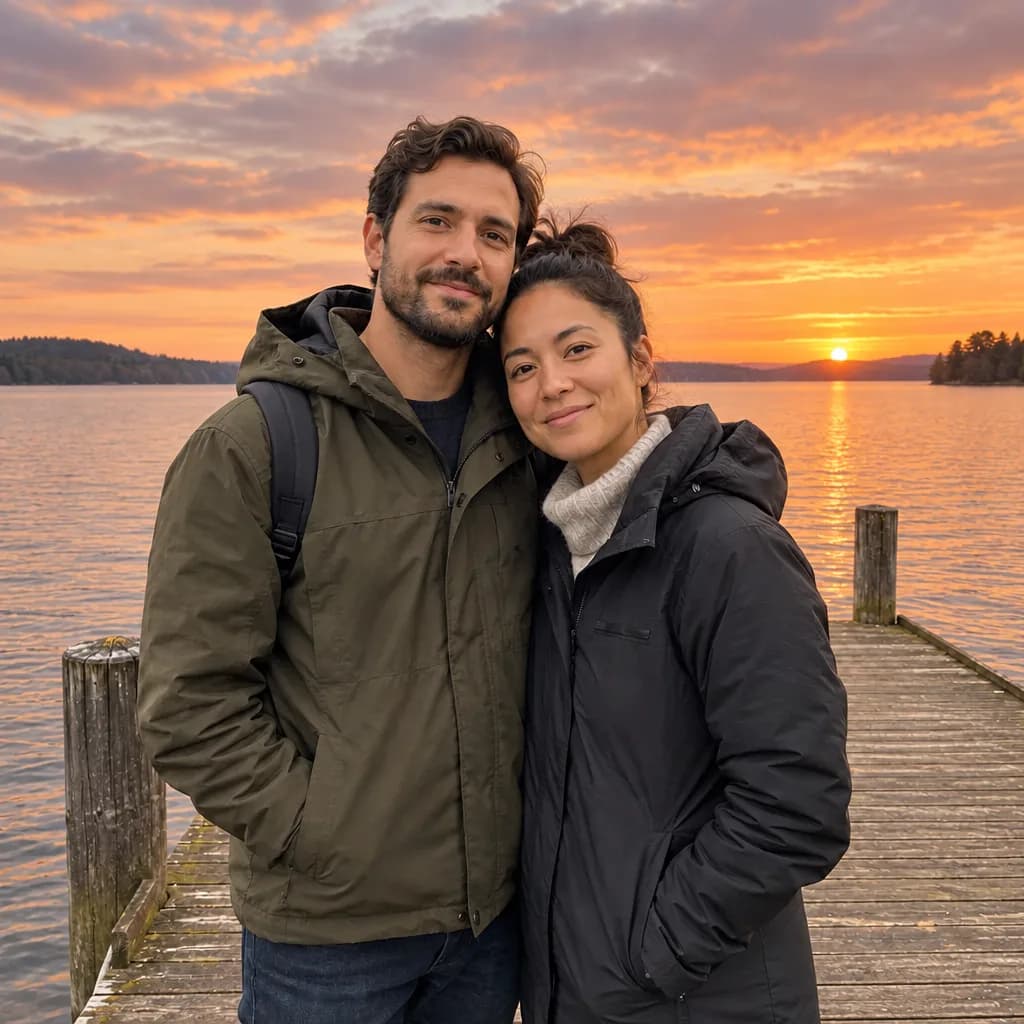
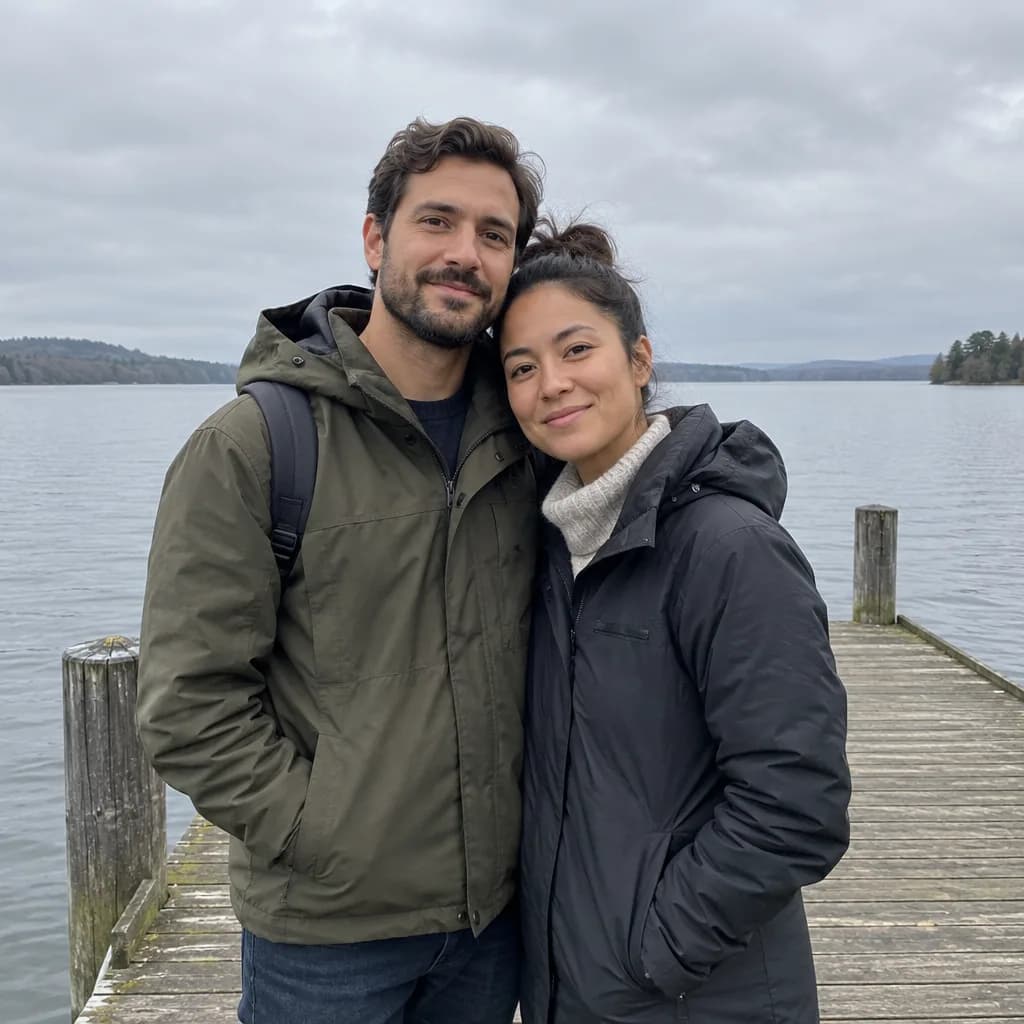 BeforeAfter
How do you write a photo-editing prompt?
An editing prompt has three parts, in this order: the one change you want, the list of what must stay, and a line that locks the frame. Every prompt on this page uses the same closing sentence: "Do not change the framing, crop, camera angle, or anything not mentioned. The result must look like an untouched real photograph, with no smudges, repeated textures, halos or visible seams." That sentence is doing most of the work; without it, editing models tend to re-render the whole picture.
- Name the change precisely. "Replace the grey sky with a warm orange and pink sunset and adjust the light on the scene to match" beats "make the sky nicer".
- List what stays. Face, pose, clothes, background, light. The model treats anything unmentioned as fair game.
- For removals, say what fills the gap. "Fill the space with matching sand, sea and sky so nothing looks patched".
- Lock the frame. No crop, no zoom, no new angle; otherwise the output is a different photo, not an edit.
Change the scene
BeforeAfterIllustration of this look, made from the prompt with an image model, not from your photo. Your result starts from your own photo.
Replace the grey sky with a warm orange and pink sunset and adjust the light on the scene to match. Keep the couple, their faces, the pier and the lake exactly as they are. Do not change the framing, crop, camera angle, or anything not mentioned. The result must look like an untouched real photograph, with no smudges, repeated textures, halos or visible seams.
Apply to my photo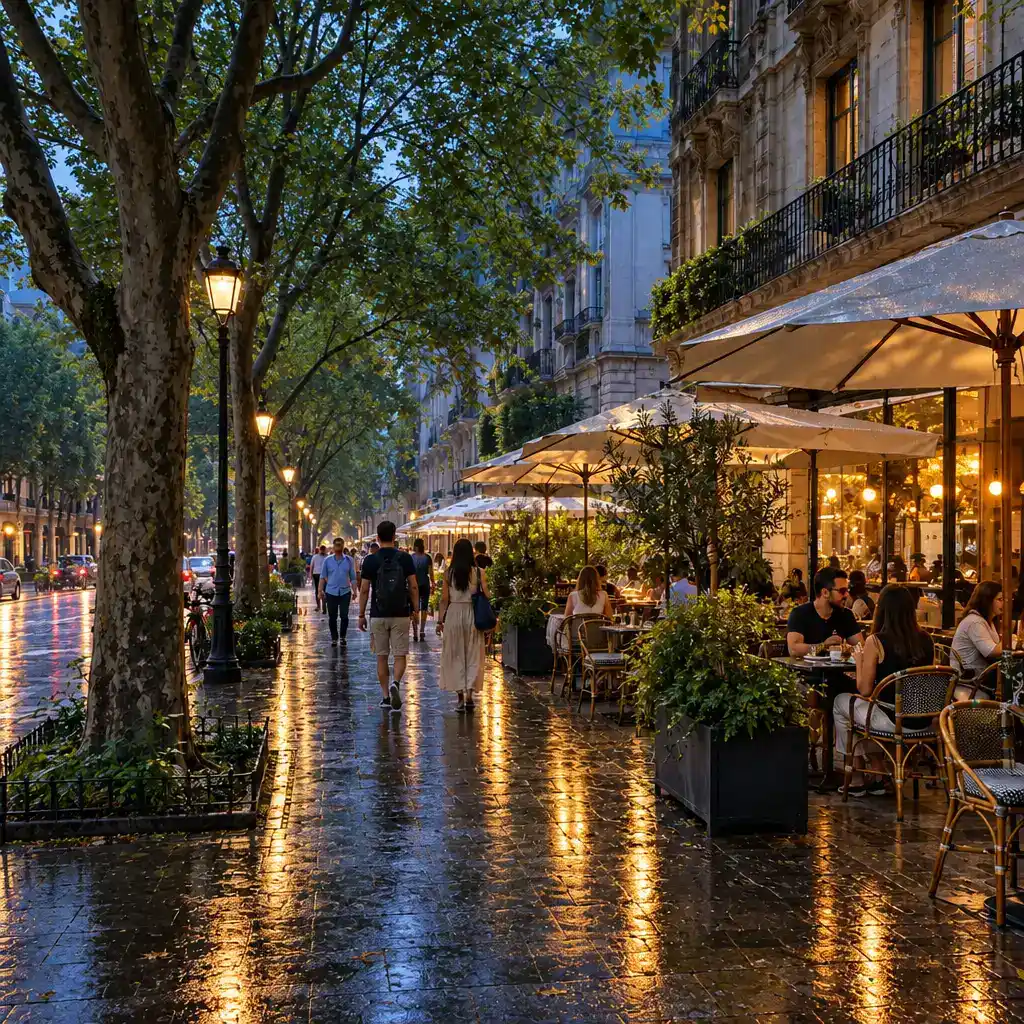
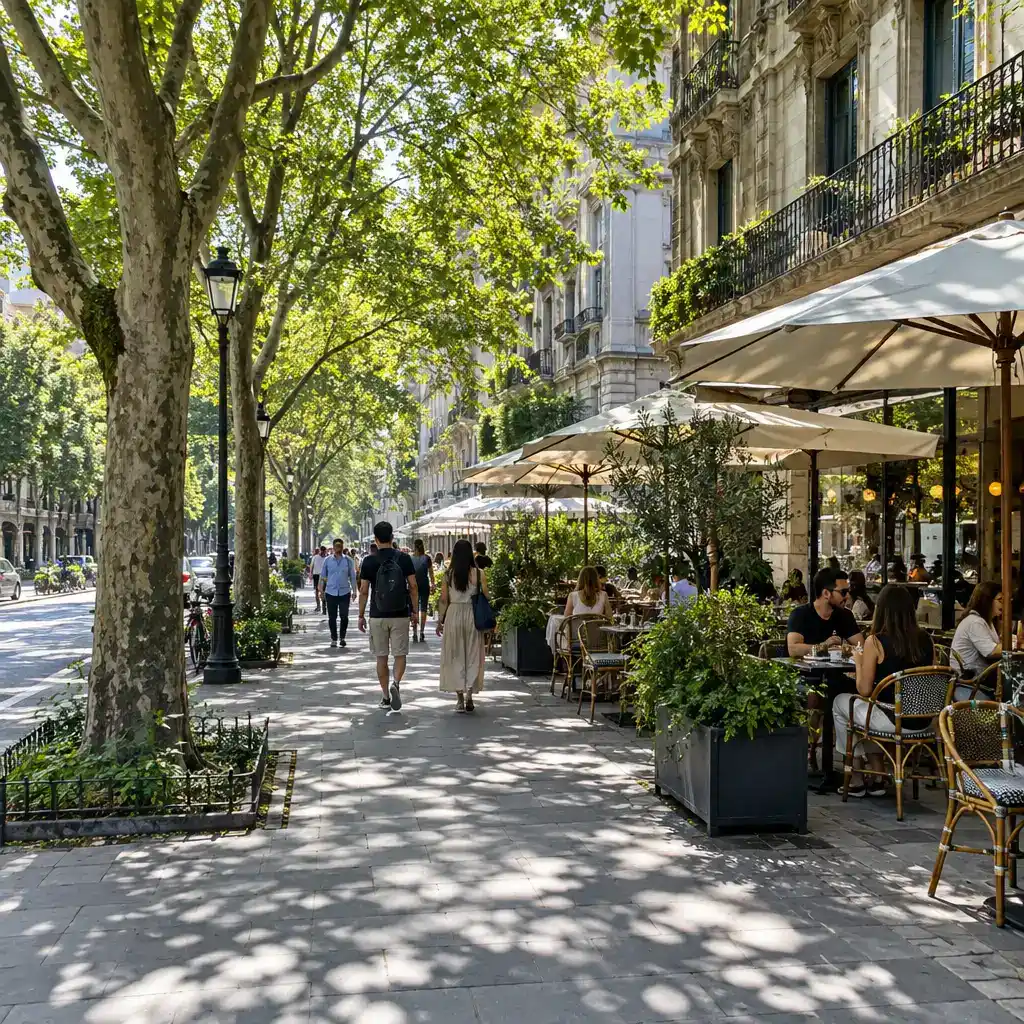 BeforeAfter
Illustration of this look, made from the prompt with an image model, not from your photo. Your result starts from your own photo.
Change the scene to dusk in soft rain: wet reflective pavement, lit cafe windows, a cool blue sky. Keep the street, the buildings, the people and the composition exactly as they are. Do not change the framing, crop, camera angle, or anything not mentioned. The result must look like an untouched real photograph, with no smudges, repeated textures, halos or visible seams.
Apply to my photoChange clothes and hair
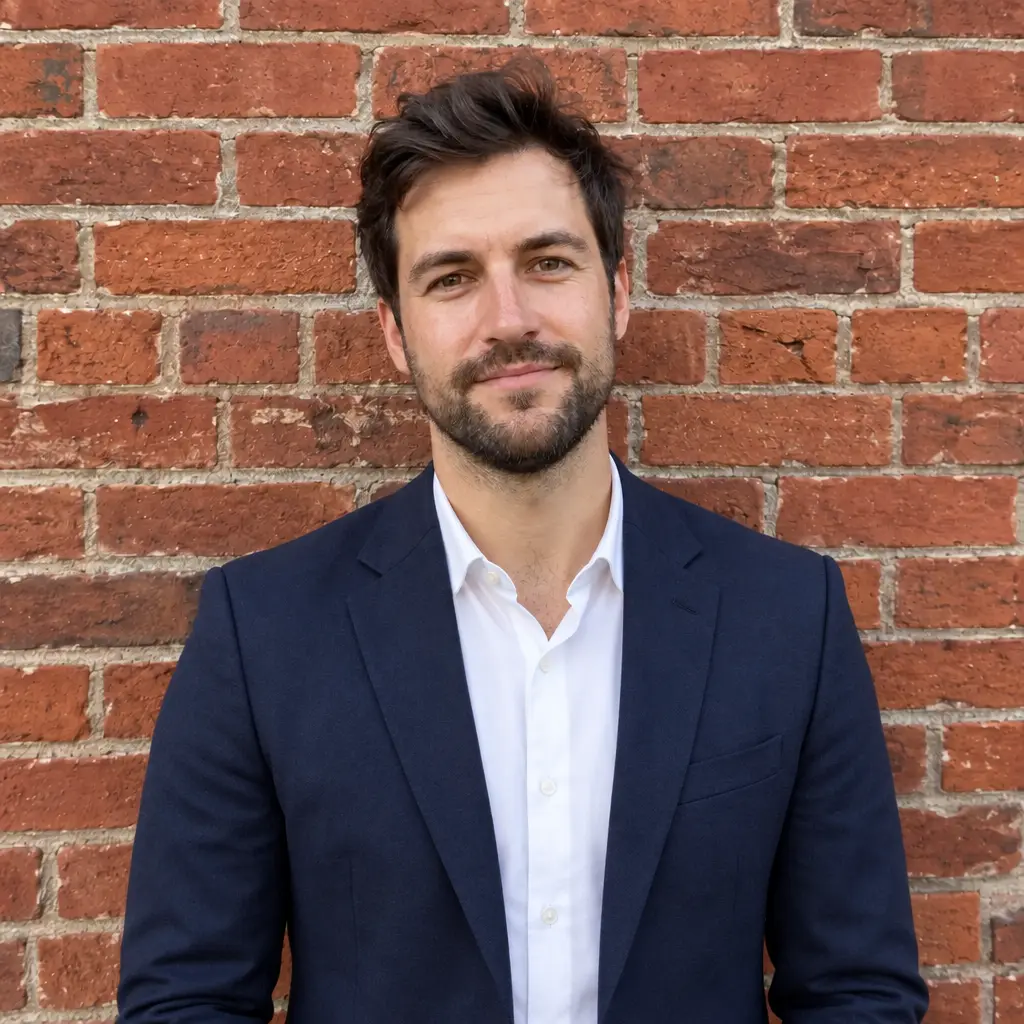
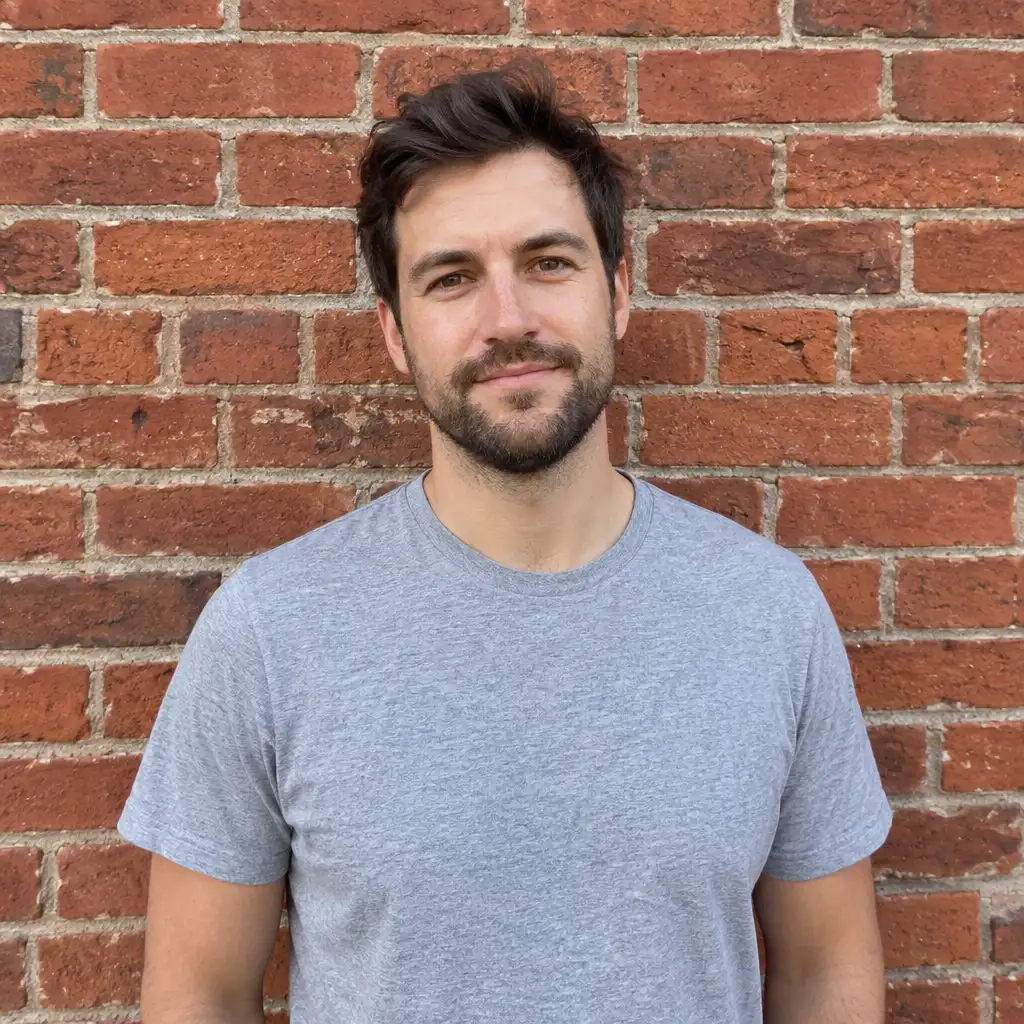 BeforeAfter
Illustration of this look, made from the prompt with an image model, not from your photo. Your result starts from your own photo.
Swap the grey T-shirt for a dark navy blazer over a white shirt. Keep his face, hair, pose, the brick wall and the light exactly as they are. Do not change the framing, crop, camera angle, or anything not mentioned. The result must look like an untouched real photograph, with no smudges, repeated textures, halos or visible seams.
Apply to my photo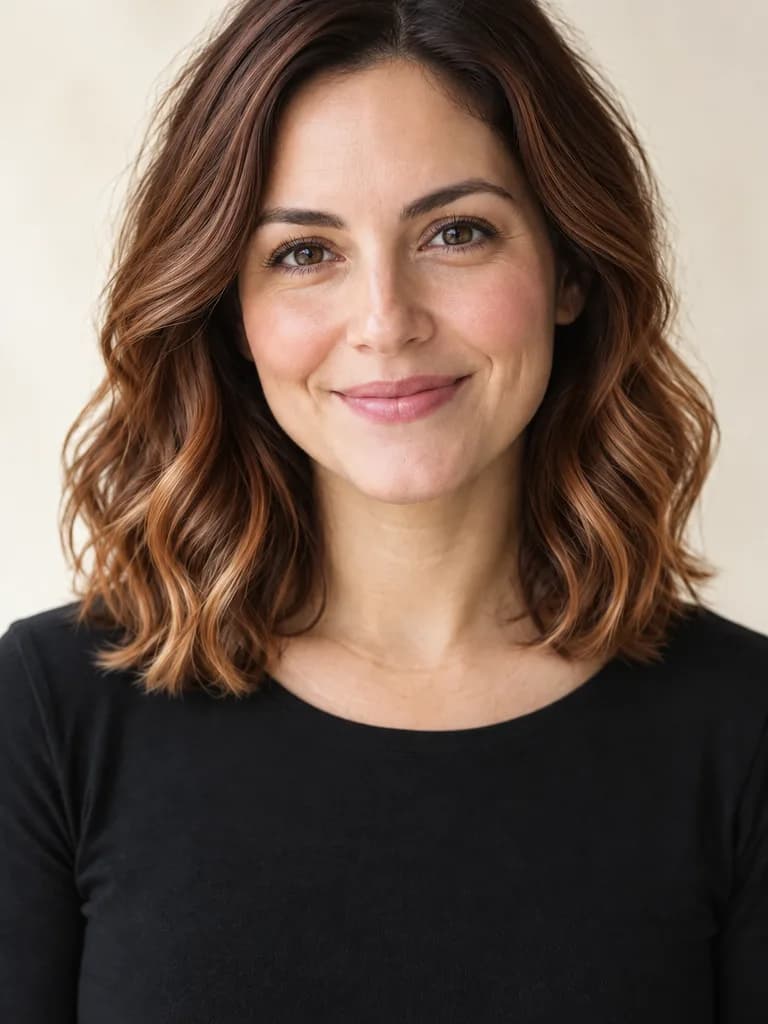
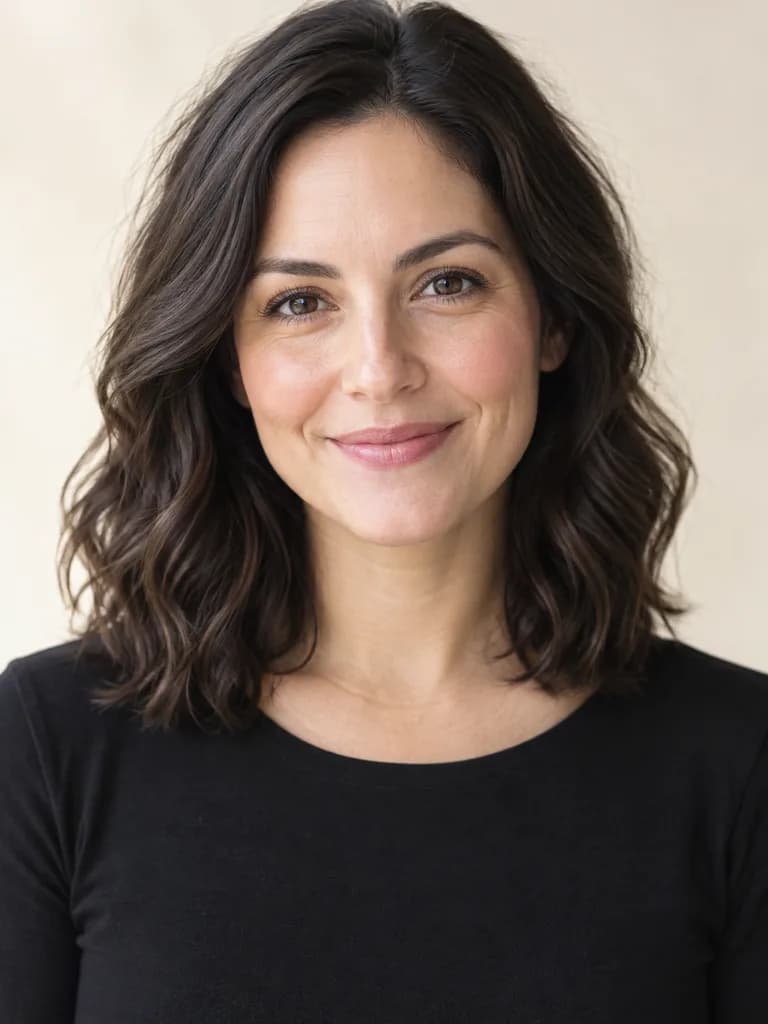 BeforeAfter
Illustration of this look, made from the prompt with an image model, not from your photo. Your result starts from your own photo.
Keep her haircut exactly as it is but change the hair color to a warm copper balayage with darker roots and lighter ends. Keep her face, skin, expression, clothes, the background and the light exactly as they are. The new hair must look real and salon-fresh: individual strands, natural hairline, realistic shine and volume, believable from every angle. Do not change the framing, crop, camera angle, or anything not mentioned. The result must look like an untouched real photograph, with no smudges, repeated textures, halos or visible seams.
Apply to my photoRemove something
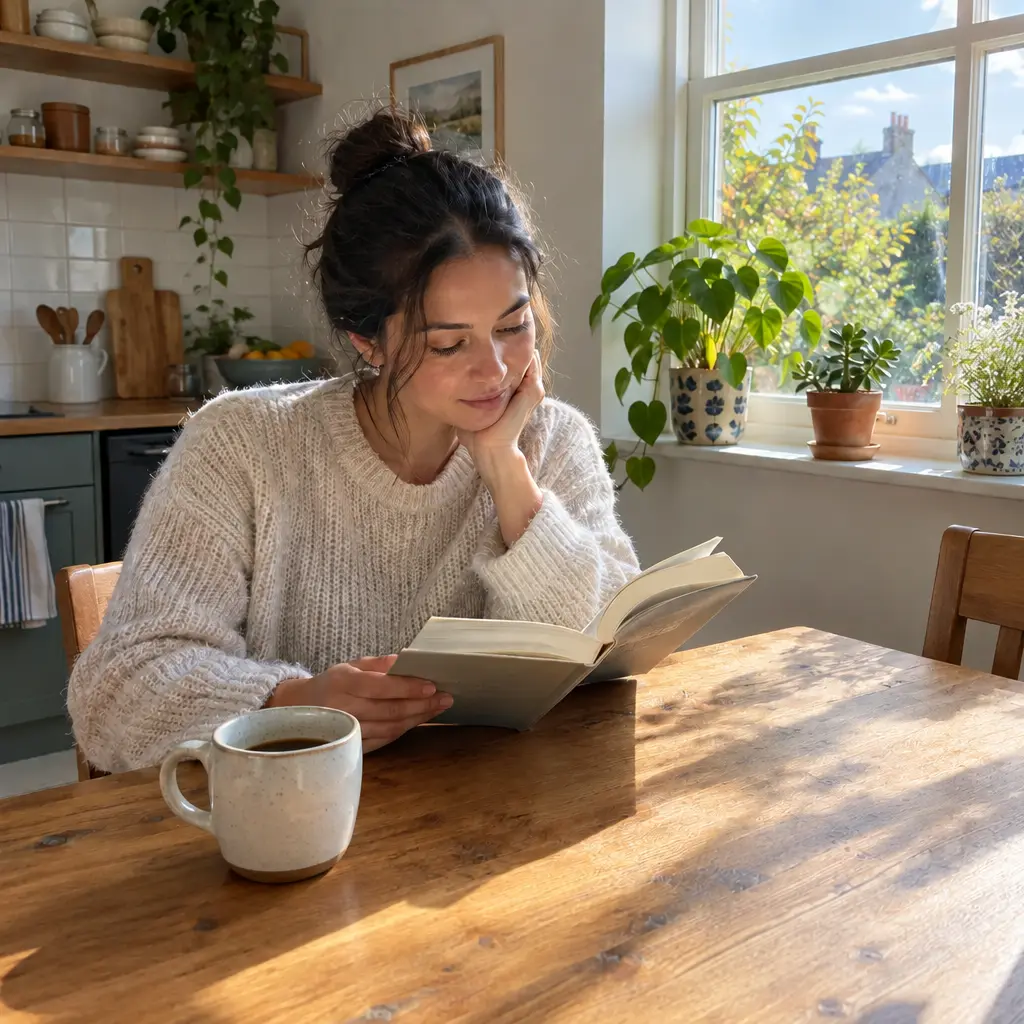
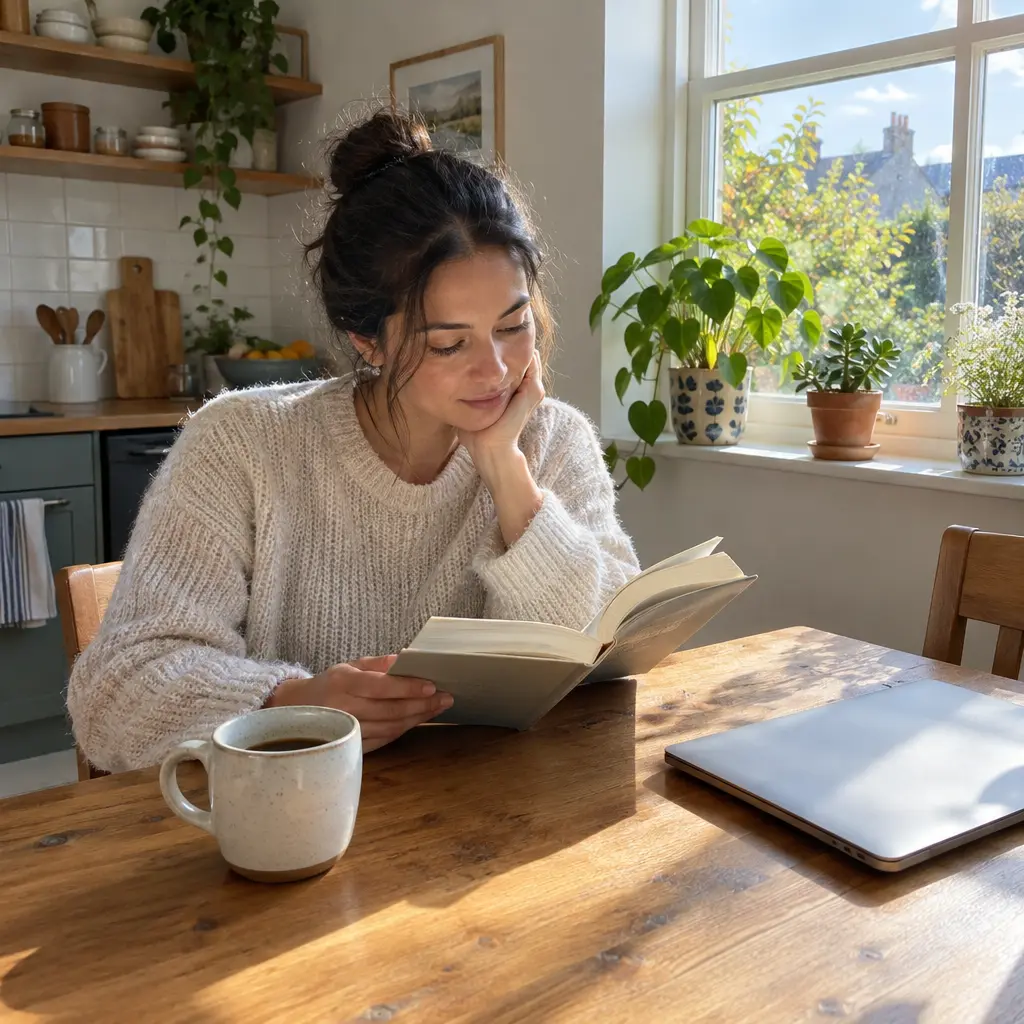 BeforeAfter
Illustration of this look, made from the prompt with an image model, not from your photo. Your result starts from your own photo.
Remove the laptop from the table and fill the space with matching wooden table. Keep the woman, the book, the coffee cup, the light and everything else exactly as they are. Do not change the framing, crop, camera angle, or anything not mentioned. The result must look like an untouched real photograph, with no smudges, repeated textures, halos or visible seams.
Apply to my photo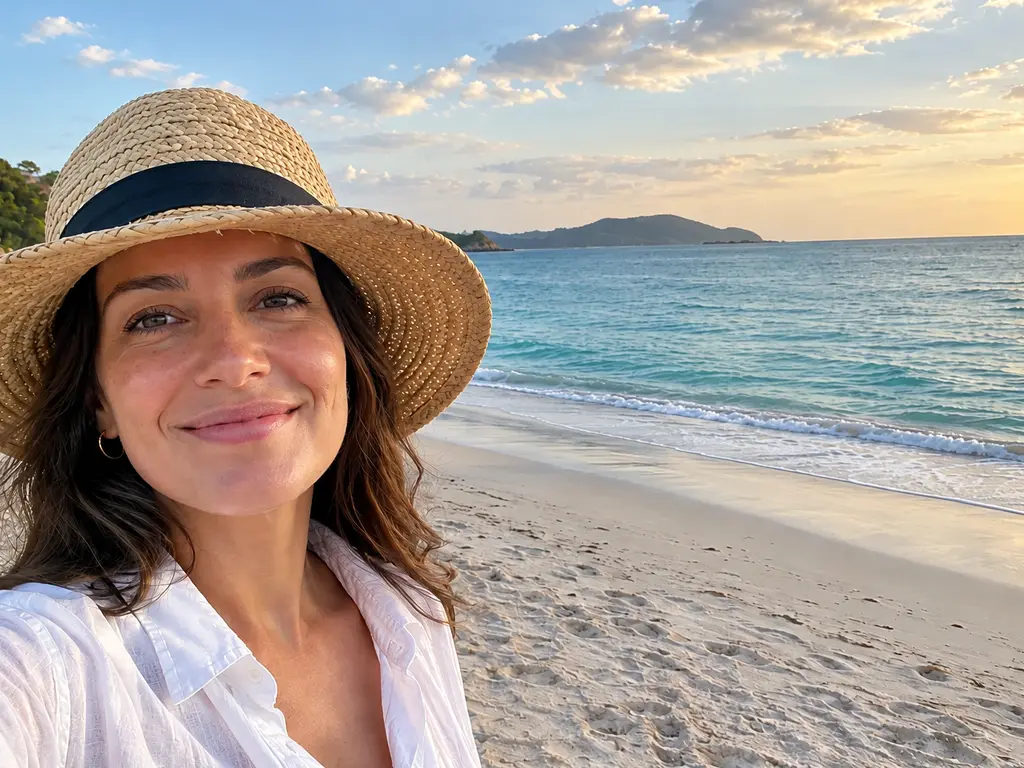
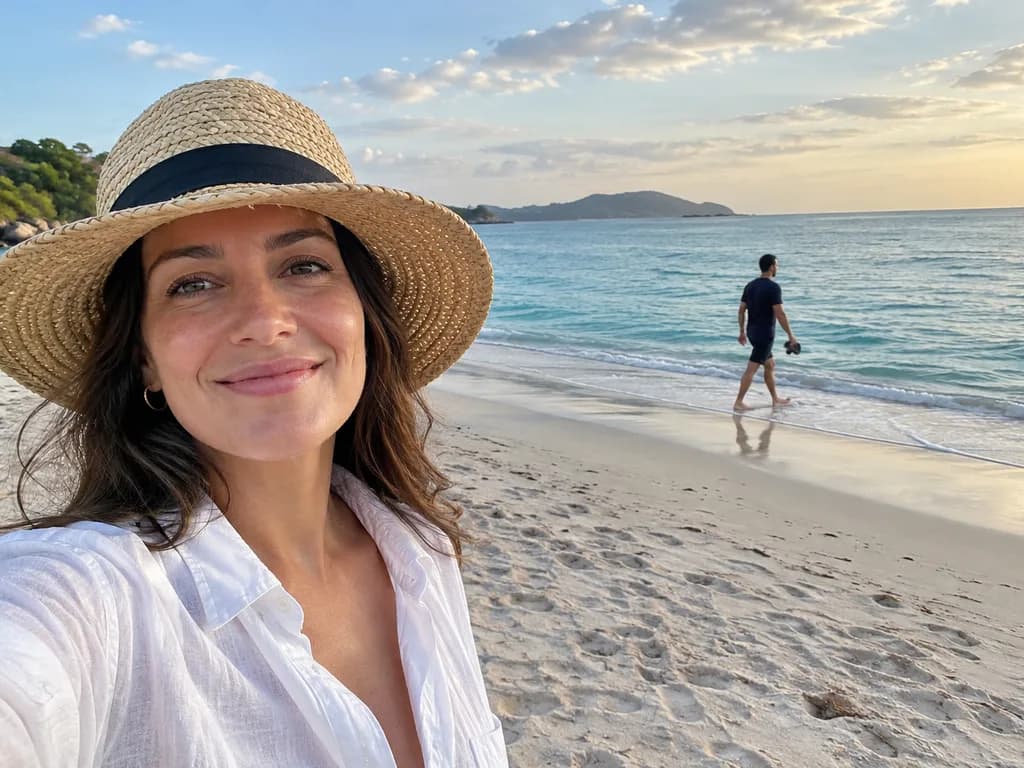 BeforeAfter
Illustration of this look, made from the prompt with an image model, not from your photo. Your result starts from your own photo.
Remove the stranger walking in the background and fill the space with matching sand, sea and sky so nothing looks patched. Keep the woman, her pose, the lighting and everything else exactly as they are. Output the full original frame at exactly the same zoom and position; do not crop, zoom in or recompose. Do not change the framing, crop, camera angle, or anything not mentioned. The result must look like an untouched real photograph, with no smudges, repeated textures, halos or visible seams.
Apply to my photoRestore or restyle
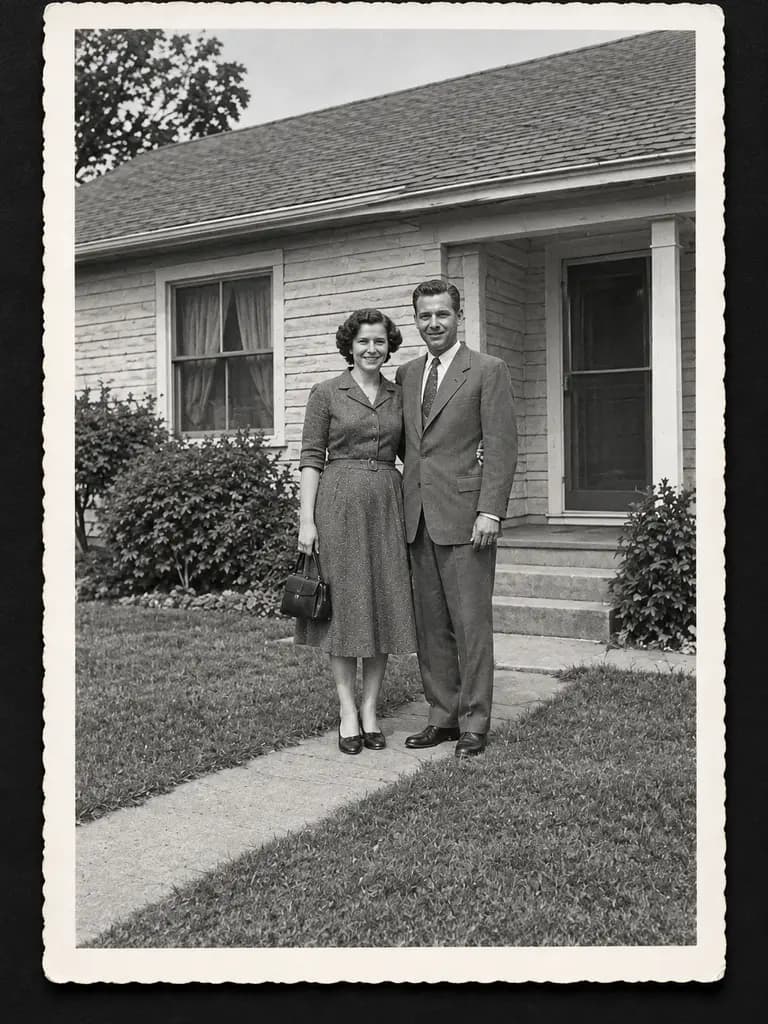
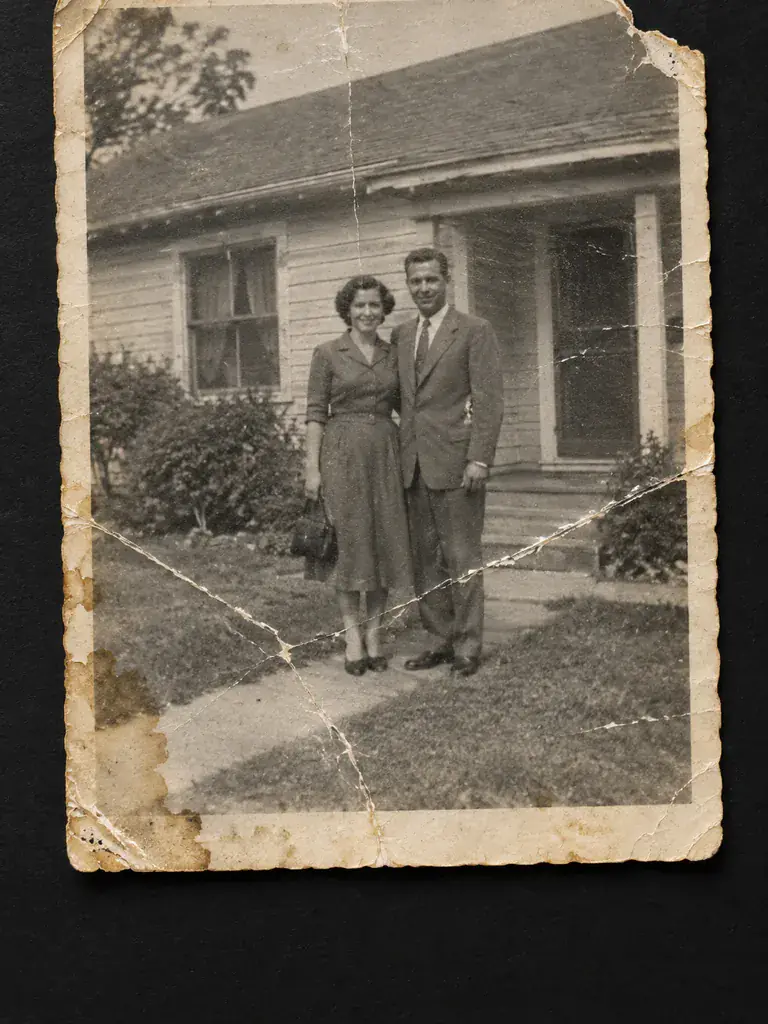 BeforeAfter
Illustration of this look, made from the prompt with an image model, not from your photo. Your result starts from your own photo.
Restore this old photograph: remove every scratch, crease, stain and the torn corner, repair the faded areas, recover natural contrast and fine detail, and keep the composition, faces and clothing exactly as they are. Keep it black and white as a clean, sharp print.
Apply to my photo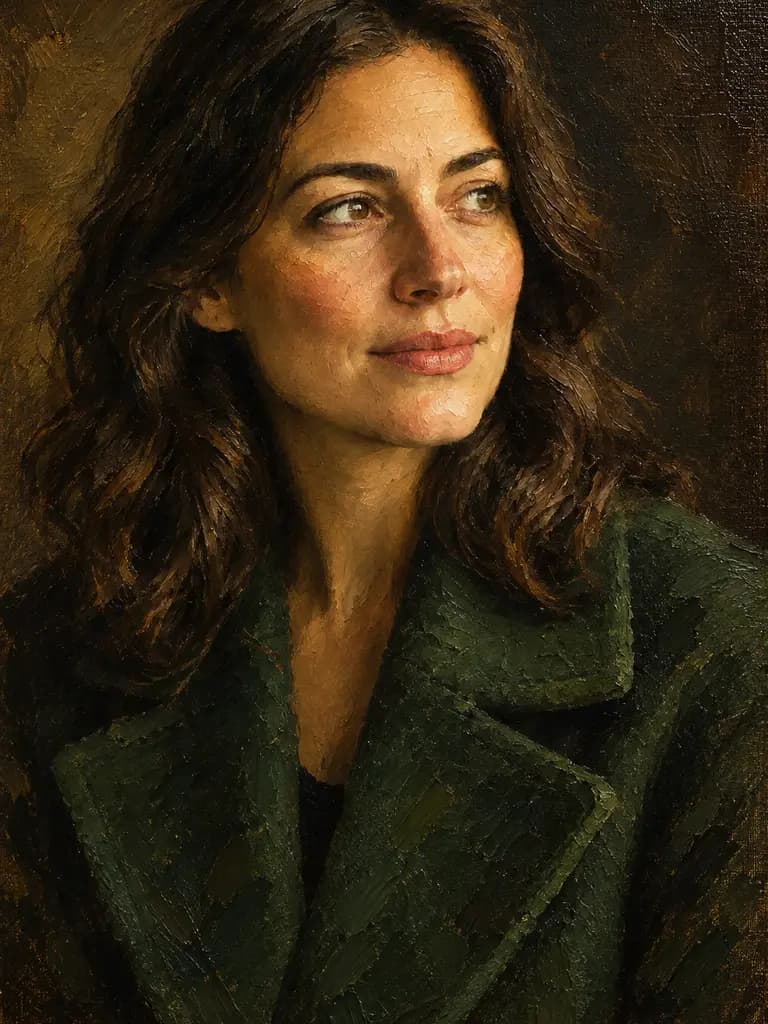
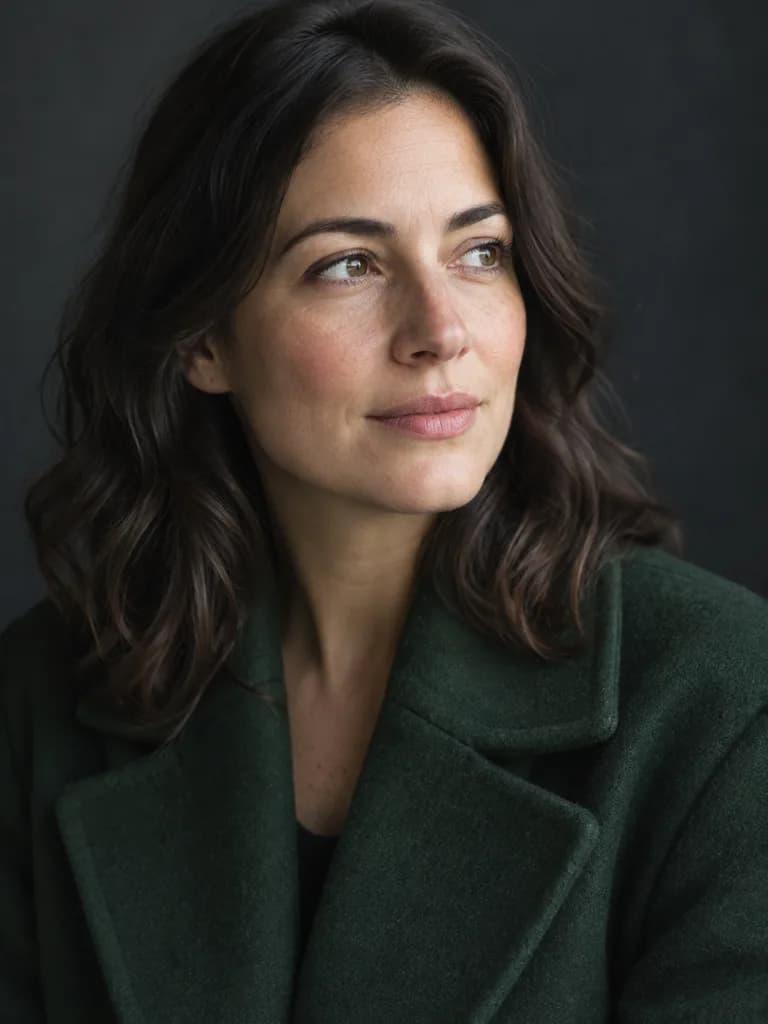 BeforeAfter
Illustration of this look, made from the prompt with an image model, not from your photo. Your result starts from your own photo.
Repaint this portrait as a genuine classical oil painting on canvas: thick visible impasto brush strokes, canvas weave showing through thin passages, soft painterly edges, Rembrandt-like chiaroscuro with warm umber shadows and a deep green coat, varnish sheen. It must unmistakably read as a hand-painted museum oil painting, not a photograph or a filter. Keep the likeness, pose and composition.
Apply to my photoRealistic photo prompts from text
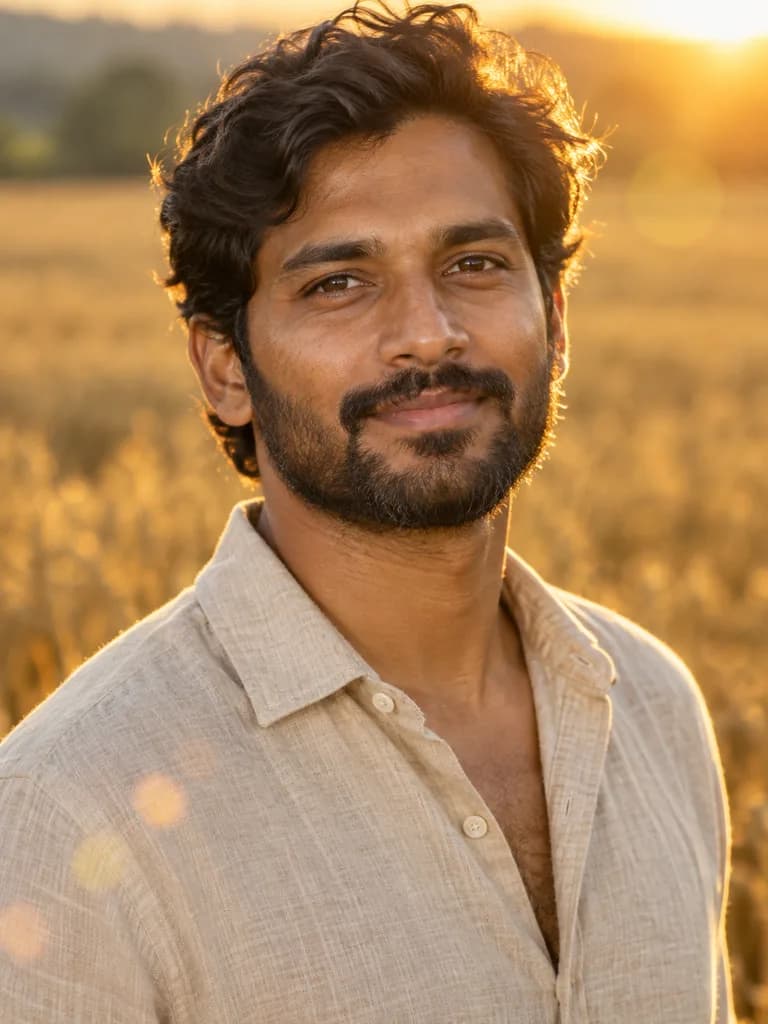 Illustration
 made from this prompt with an image model, not a result from the UniqAI app.
Outdoor editorial portrait of a South Asian man in his early thirties with a short dark beard and wavy hair, wearing an open-collar oatmeal linen shirt, standing in a ripe wheat field at golden hour. 135 mm lens at f/2, low sun behind him lighting the edge of the hair and beard, a soft reflector fill on the face, gentle lens flare, creamy out-of-focus field, warm honey and ochre palette, natural skin texture with no smoothing. Head and shoulders in the upper two thirds of a vertical frame.
Run this prompt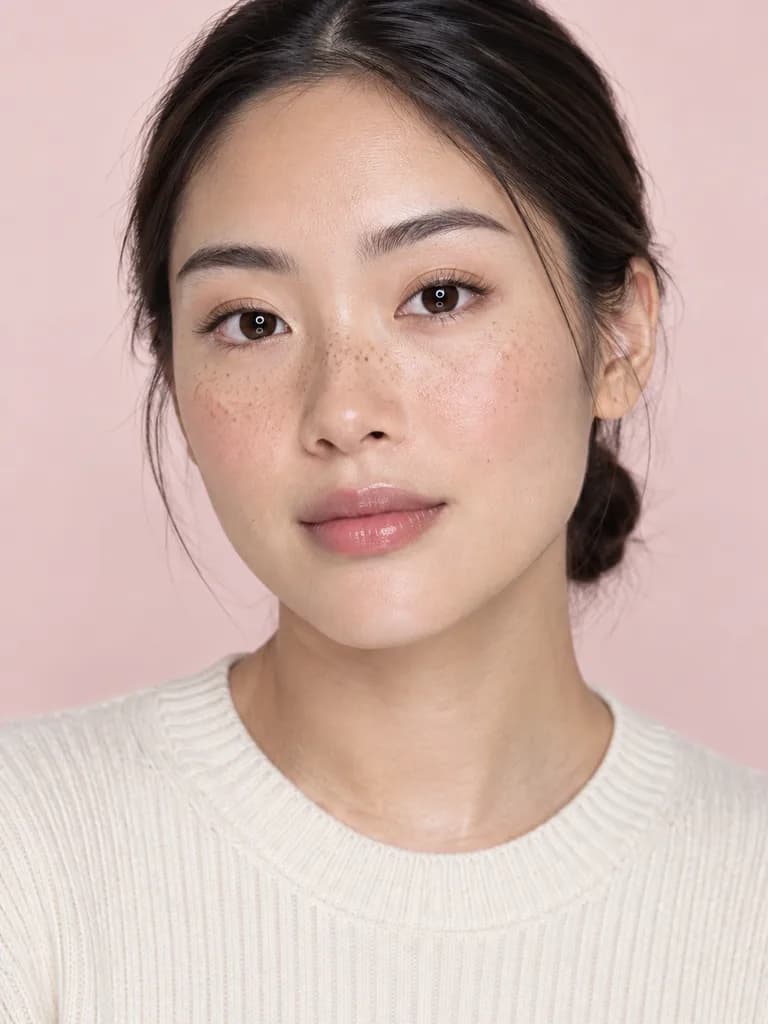 Illustration
 made from this prompt with an image model, not a result from the UniqAI app.
Beauty-editorial portrait of an East Asian woman in her mid-twenties with light freckles across the nose and cheeks, hair pulled back into a low bun, wearing a cream ribbed knit, minimal makeup with a hint of gloss. 100 mm macro lens at f/5.6, a large ring-shaped soft light straight on with a white bounce under the chin, pale blush-pink seamless backdrop, crisp catchlights, skin that keeps real pores, peach fuzz and texture, soft pastel palette. Head and shoulders in the upper two thirds of a vertical frame.
Run this prompt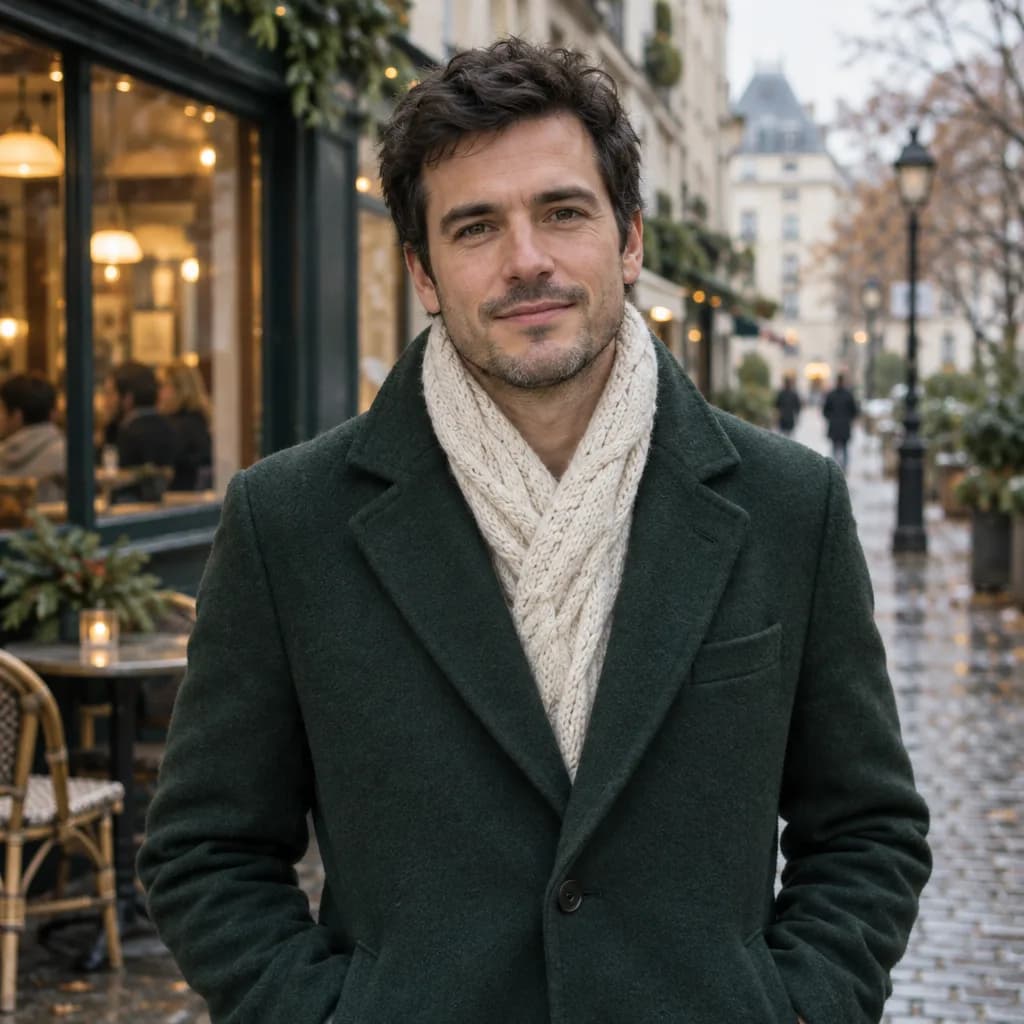 Illustration
 made from this prompt with an image model, not a result from the UniqAI app.
Waist-up portrait of a man in his thirties with short dark hair, wearing a tailored bottle-green wool overcoat over a cream cable-knit scarf, standing on a quiet European side street in early winter; wet cobbles, a cafe window glowing behind him, soft overcast light. Editorial lifestyle photograph, 50 mm lens at f/2, soft natural light, gentle filmic colour grade with creamy highlights and slightly lifted blacks, natural skin texture with visible pores, no retouched plastic look. Square frame, subject centred.
Run this promptAbout the examples
Each before-and-after pair was made by running the prompt shown on the "before" image with an image-editing model, so the pair is a record of what that wording did to that photo. The "before" photos and the three text-to-image portraits were generated from the prompts shown as well. All of them are illustrations, not UniqAI outputs, and none of the people exist. Your own photo will behave differently: a sharp, well-lit picture with a clear subject edits more cleanly than a dark, cluttered one.
What editing prompts cannot fix
An editing model works with the pixels you give it. It cannot recover detail that is not in the photo, so a blurred face stays an invented face, and it cannot know what was behind a removed object, so the fill is a plausible guess. Hands, jewellery, small text and the edge between hair and a new background are the usual weak spots; check them at full size. If a result moved the crop or redrew the face, the prompt was missing a "keep" line, not a stronger adjective. The one-click tools on AI photo editing tools use the same prompts with a photo-only input, and the photo editor lets you type any change in your own words.
Examples
Illustrations of the kind of result this makes. They are not app outputs.
BeforeAfterBeforeAfterBeforeAfterBeforeAfterBeforeAfterBeforeAfterBeforeAfterIllustrationIllustrationIllustrationHow it works
Pick the edit that matches your photo
Sky, clothes, hair, an object to remove, a print to restore, or a painted look.
Press Apply to my photo
The composer opens on Nano Banana with the prompt filled in and asks for your photo.
Check the edges, then retry if needed
Look at hair, hands and the border of the changed area. Keep the wording, change one phrase.
Questions about Edit a Photo With an AI Prompt
Which model should I use to edit a photo with a prompt?
Nano Banana, which is what the Apply button selects: it takes your photo plus the prompt and returns an edited version of the same picture for 12 gems. Flux Schnell and FLUX 1.1 Pro make a new image from text and do not edit an existing photo.
Why did the model change my face or crop the photo?
Because the prompt did not tell it not to. Editing models redraw anything they are not told to keep, so add a line naming what stays, such as face, pose, clothes and background, and the closing sentence about framing used on every prompt here. Then run it again on the original photo.
Can I combine two edits in one prompt?
You can, but one change per run is more reliable. Do the sky first, check it, then run the outfit swap on the result. Each run costs the same, and two clean steps usually beat one run that gets half of each edit right.
Do these prompts work in other AI editors?
Yes. They are plain English with no app-specific syntax, so they paste into any tool that accepts a photo and an instruction. The before-and-after pairs here were made with an image-editing model, so another editor will follow the same instructions but may handle edges and fills differently.
What does one photo edit cost?
One run on Nano Banana costs 12 gems, shown next to the model before you press Generate. If a generation fails, the gems are returned automatically. Plans, packs and refill amounts are listed on the pricing page.

Coming soon to the App Store for iPhone
Chat, photo and video generation with several AI models in one app.